
Samsung 32" Odyssey G55C Review
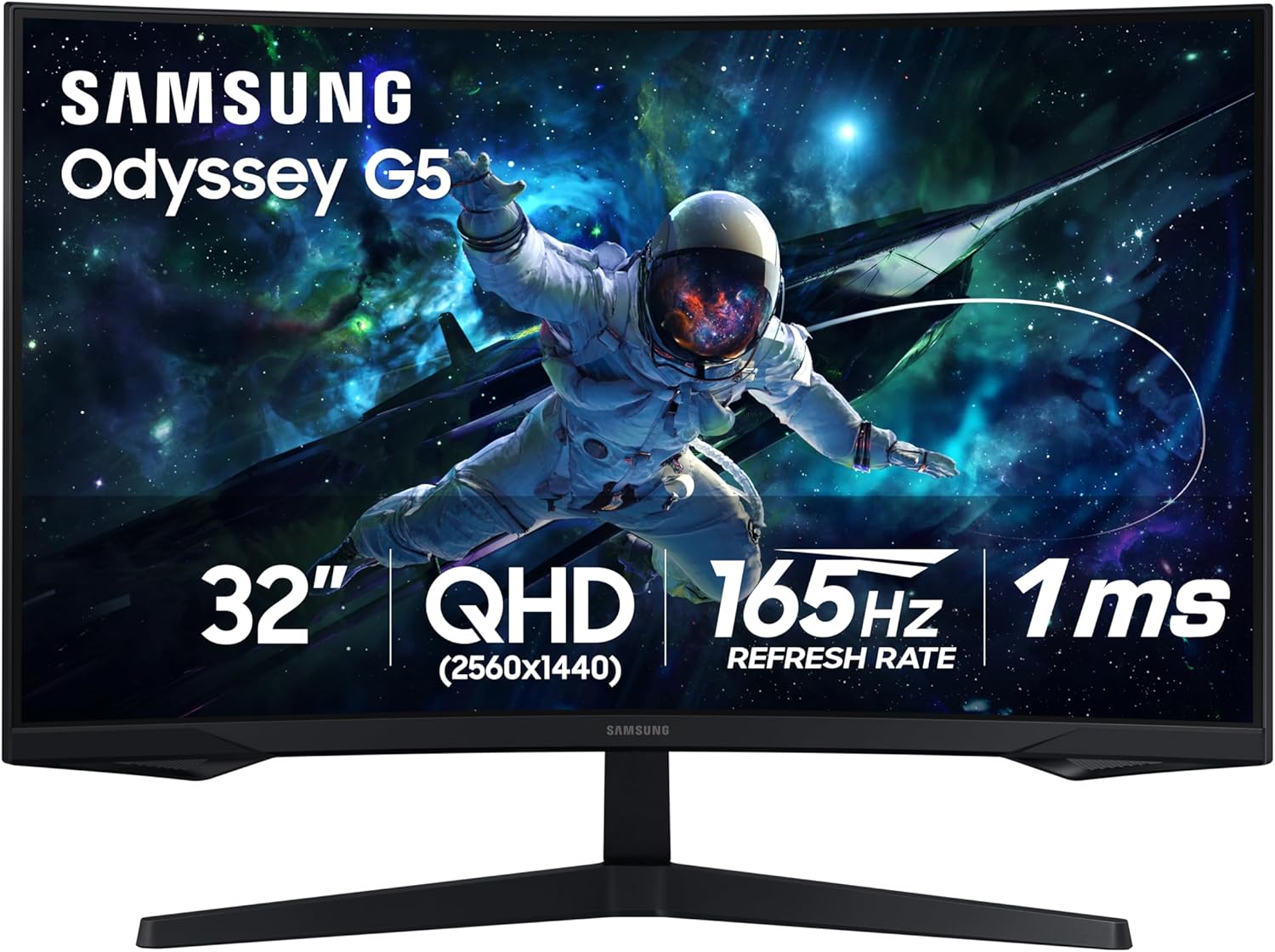
Finding a gaming monitor that delivers a large screen, sharp resolution and smooth gameplay without moving into the highest price tiers can be difficult. The Samsung 32" Odyssey G55C aims to balance these features with a QHD 2560 × 1440 resolution, 165Hz refresh rate, 1ms MPRT response time and an aggressive 1000R curved display.
For gamers who want an immersive display for FPS titles, racing games, RPGs and everyday PC use, the G55C offers a particularly interesting combination of screen size and gaming-focused features.
Samsung Odyssey G55C Key Specifications
| Feature | Specification |
|---|---|
| Screen Size | 32 inches |
| Resolution | QHD 2560 × 1440 |
| Panel Type | VA |
| Curvature | 1000R |
| Refresh Rate | Up to 165Hz |
| Response Time | 1ms MPRT |
| HDR | HDR10 |
| Adaptive Sync | AMD FreeSync |
| Brightness | 300 cd/m² typical |
| Contrast Ratio | 2,500:1 typical |
| Aspect Ratio | 16:9 |
| Viewing Angle | 178° / 178° |
| HDMI | 1 × HDMI 2.0 |
| DisplayPort | 1 × DisplayPort 1.2 |
| Headphone Output | Yes |
| Eye Saver Mode | Yes |
| Flicker Free | Yes |
| VESA Mount | 75 × 75 mm |
Samsung lists the monitor with a VA panel, 300 cd/m² typical brightness, 2,500:1 typical static contrast, HDR10, FreeSync, Eye Saver Mode and Flicker Free technology.
32-Inch QHD Resolution for a Sharper Gaming Experience
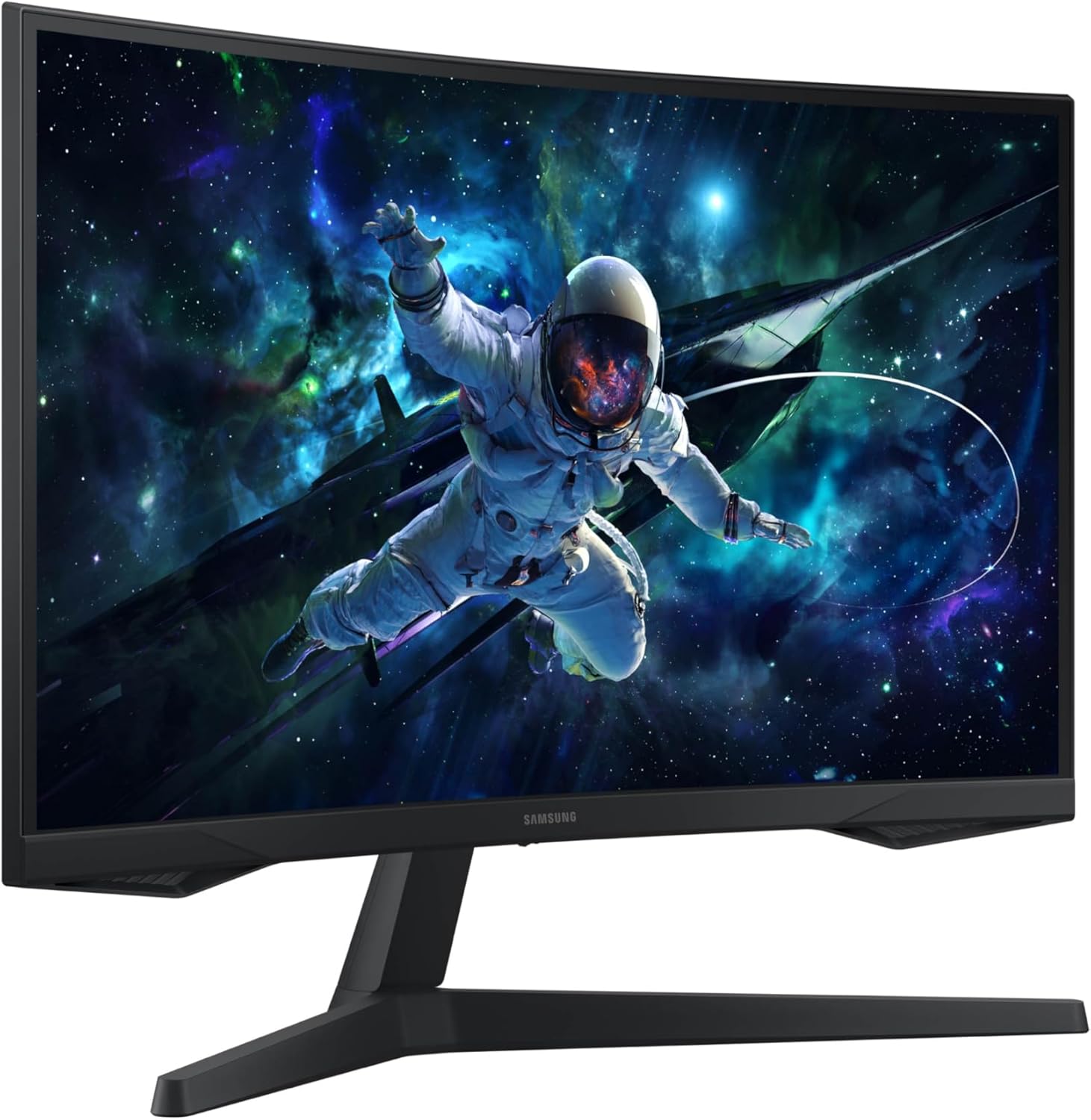
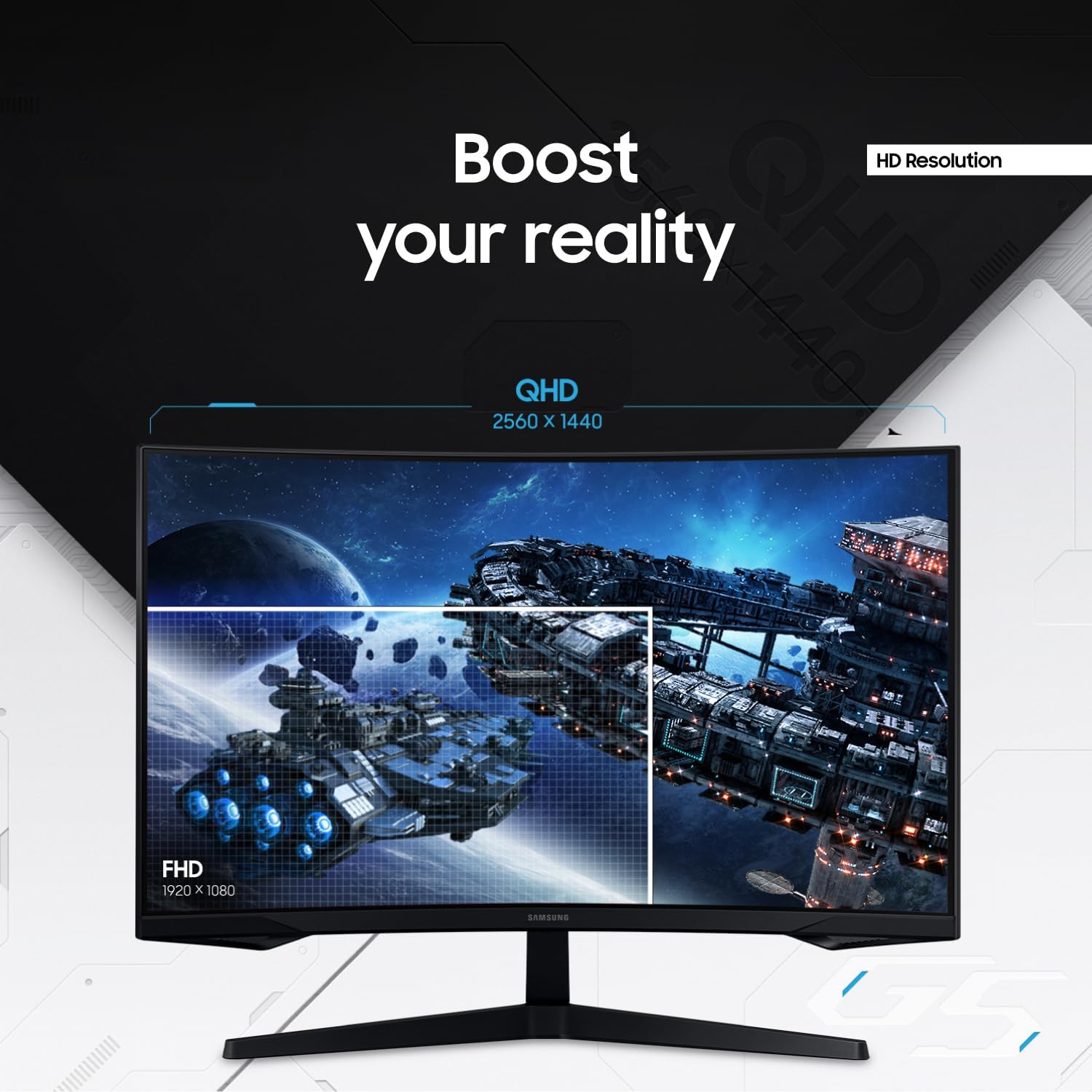
One of the biggest advantages of the Samsung Odyssey G55C is its combination of 32-inch screen size and QHD resolution.
The 2560 × 1440 resolution provides substantially more detail than standard 1920 × 1080 Full HD while giving you more screen space for games, applications and multitasking. Samsung specifically highlights QHD as providing approximately 1.7 times the pixel density of Full HD.
Why QHD Matters
With QHD, games can look sharper and environments can contain more visible detail. It is also useful outside gaming for:
- Web browsing
- Video editing
- Photo work
- Productivity
- Multitasking
- Watching movies and streaming content
165Hz Refresh Rate and 1ms MPRT Response Time
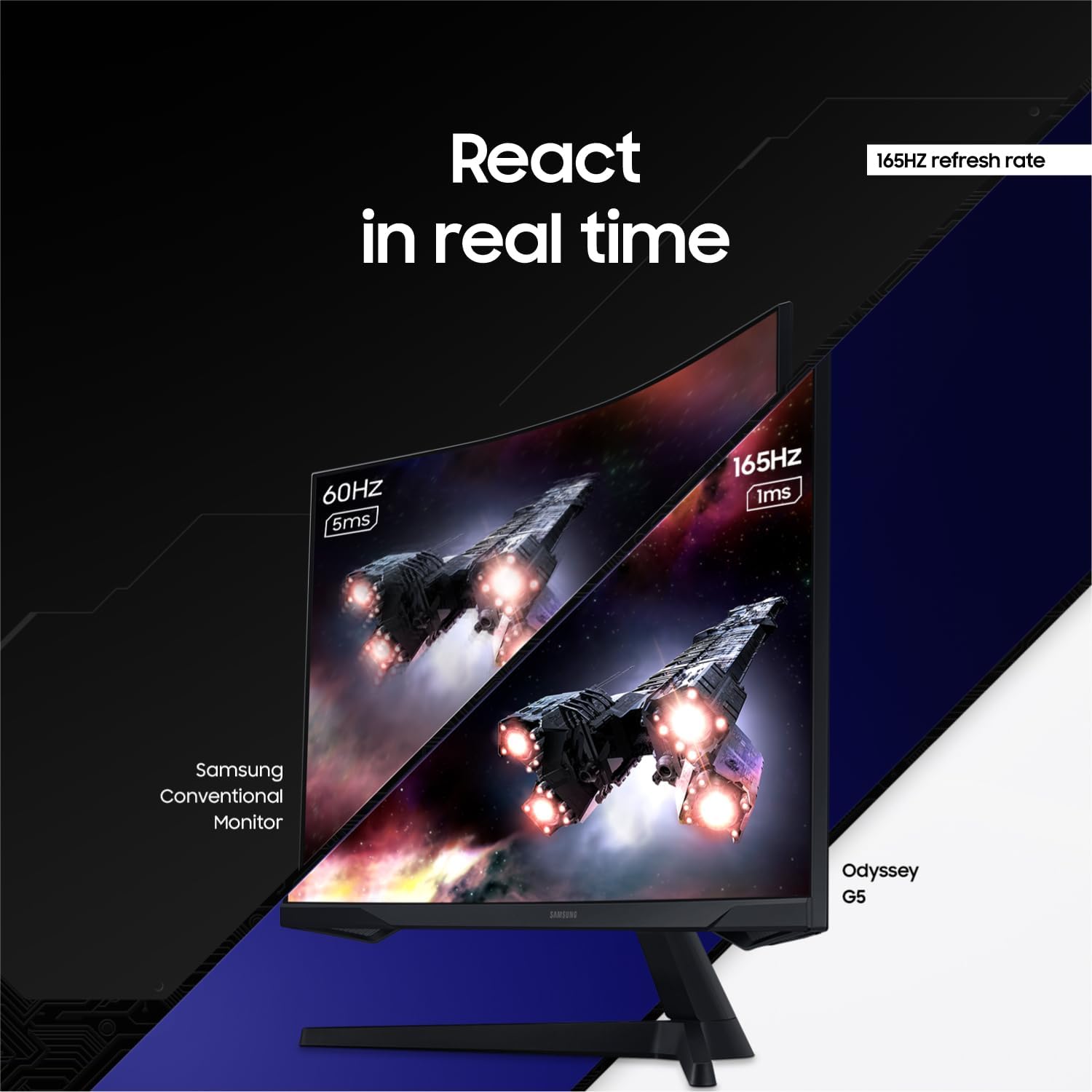
For gaming, refresh rate is one of the most important specifications.
The Odyssey G55C supports a 165Hz maximum refresh rate, while Samsung lists a 1ms MPRT response time.
A higher refresh rate can make fast movement appear considerably smoother than a traditional 60Hz monitor, particularly in games where quick camera movement and rapid reactions matter.
The 1ms MPRT specification is Samsung's motion-picture response-time measurement, and Samsung notes that achieving the stated figure depends on the monitor's settings and testing conditions.
Who Benefits Most From 165Hz?
A 165Hz monitor can be particularly appealing for:
- Competitive FPS players
- Racing-game players
- Fast-action games
- Esports gaming
- Players upgrading from 60Hz displays
Immersive 1000R Curved Display
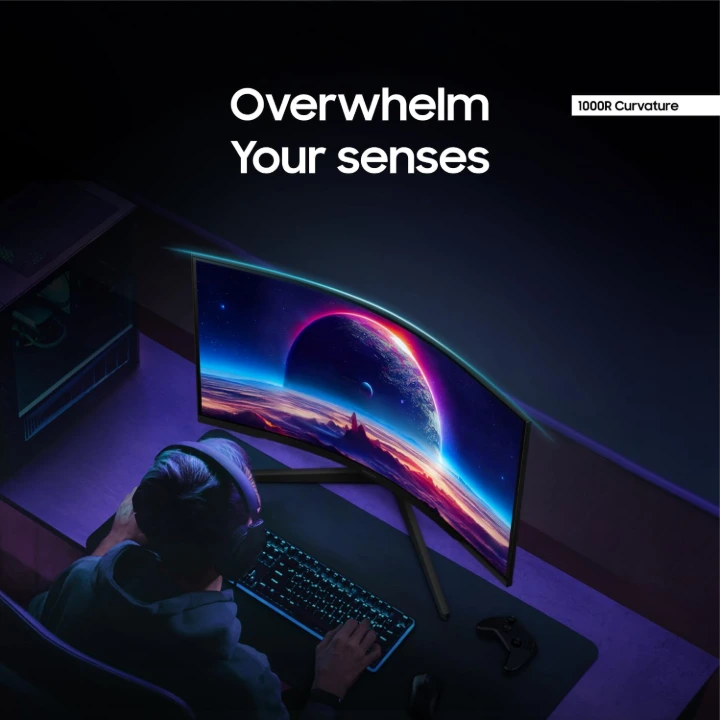
The 1000R curvature is one of the defining characteristics of the Odyssey G55C.
Samsung describes the 1000R curve as wrapping the display more closely around your field of view, helping create a more immersive gaming experience.
On a large 32-inch screen, this curvature can make the display feel more enveloping than a conventional flat panel.
AMD FreeSync for Smoother Gameplay
The Samsung Odyssey G55C supports AMD FreeSync, which synchronizes the monitor's refresh rate with a compatible graphics card to help reduce screen tearing and interruptions during gameplay.
This can be especially useful when frame rates fluctuate during graphically demanding games.
For gamers, FreeSync combined with a 165Hz refresh rate makes the G55C particularly suited to smooth, fast-paced gameplay.
HDR10 for Enhanced Visuals
The Odyssey G55C supports HDR10, which is designed to provide greater contrast and a wider range of brightness levels in supported content.
HDR can add more visual depth to games and movies, particularly in scenes containing bright highlights and darker areas.
Keep in mind that HDR performance is influenced by the monitor's overall brightness and panel capabilities, so HDR10 support should not automatically be interpreted as the same HDR experience offered by premium high-brightness displays.
Eye Saver Mode and Flicker-Free Technology
Gaming for several hours can make display comfort important.
Samsung includes Eye Saver Mode and Flicker Free functionality on the G55C. Samsung says Eye Saver Mode is intended to reduce blue-light exposure for greater comfort, while Flicker Free reduces irritating screen flicker.
These features make the monitor more practical for people who use their gaming PC for both entertainment and everyday work.
Connectivity
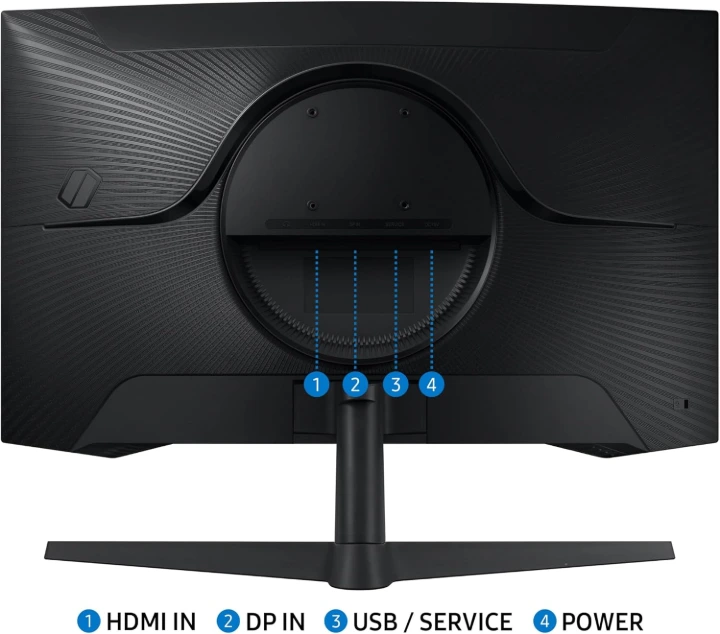
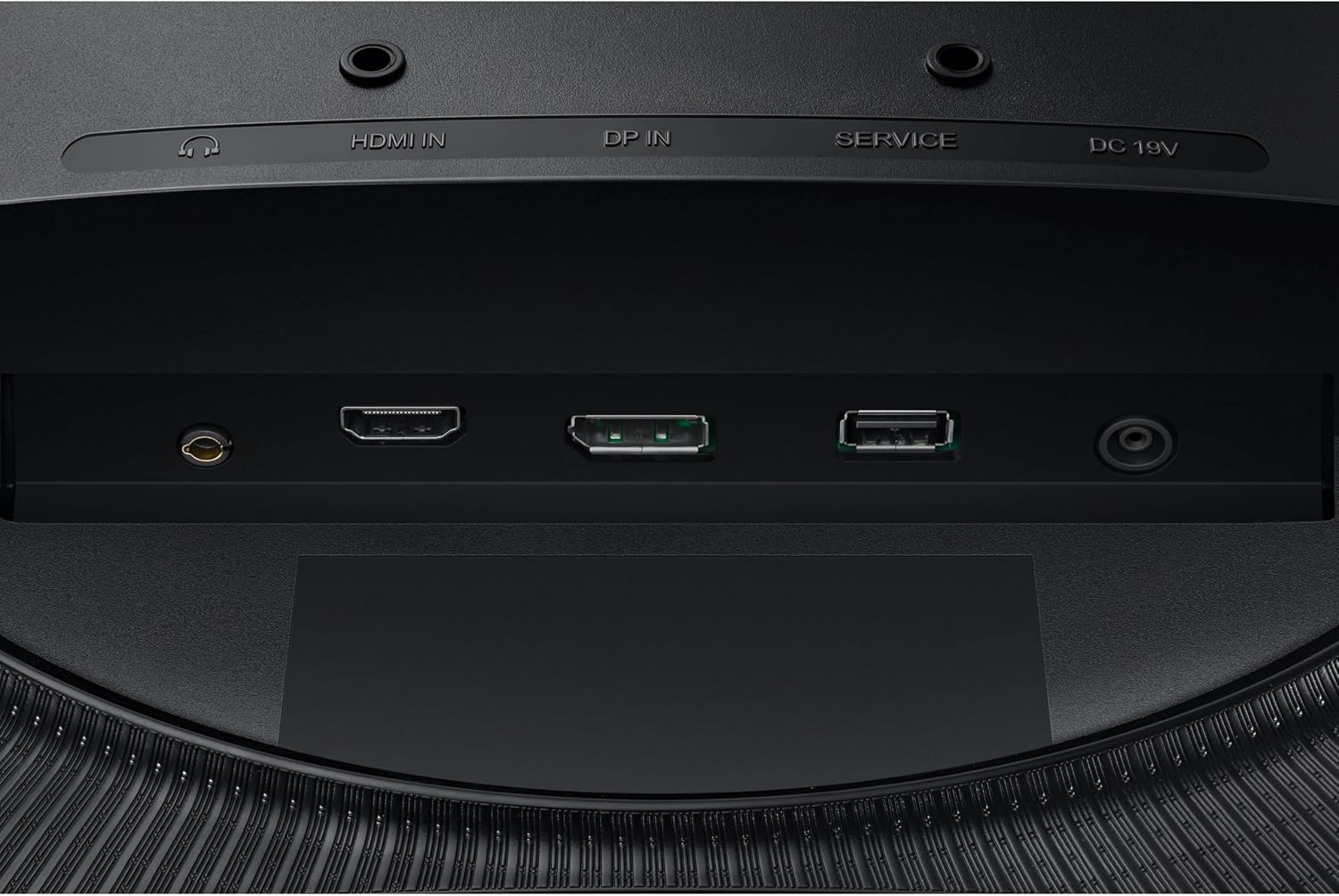
The Odyssey G55C includes the core connections needed for a typical gaming setup.
Samsung's specifications list:
1 × DisplayPort 1.2
1 × HDMI 2.0
1 × headphone connection
Your uploaded product images also show the rear port arrangement, including HDMI, DisplayPort, USB/service and power connections.
Design and Stand
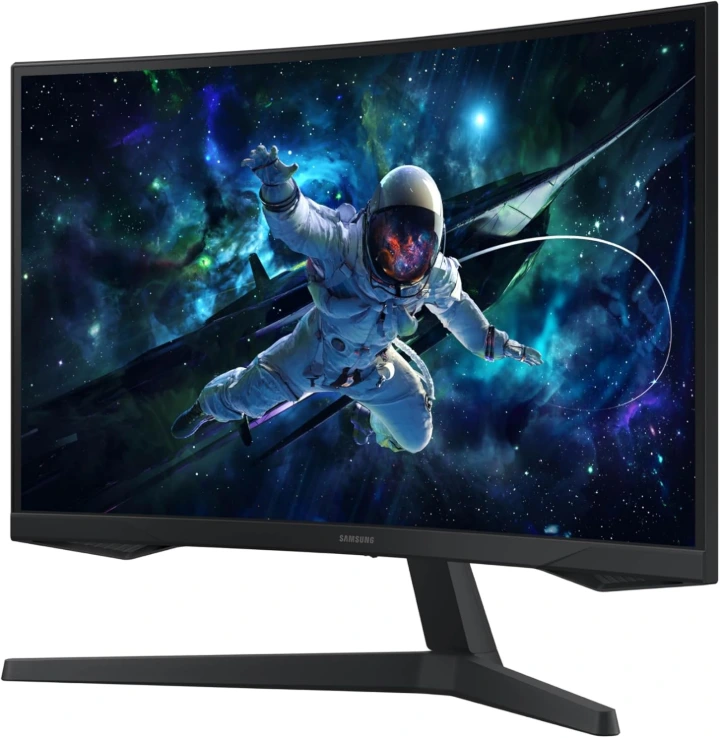
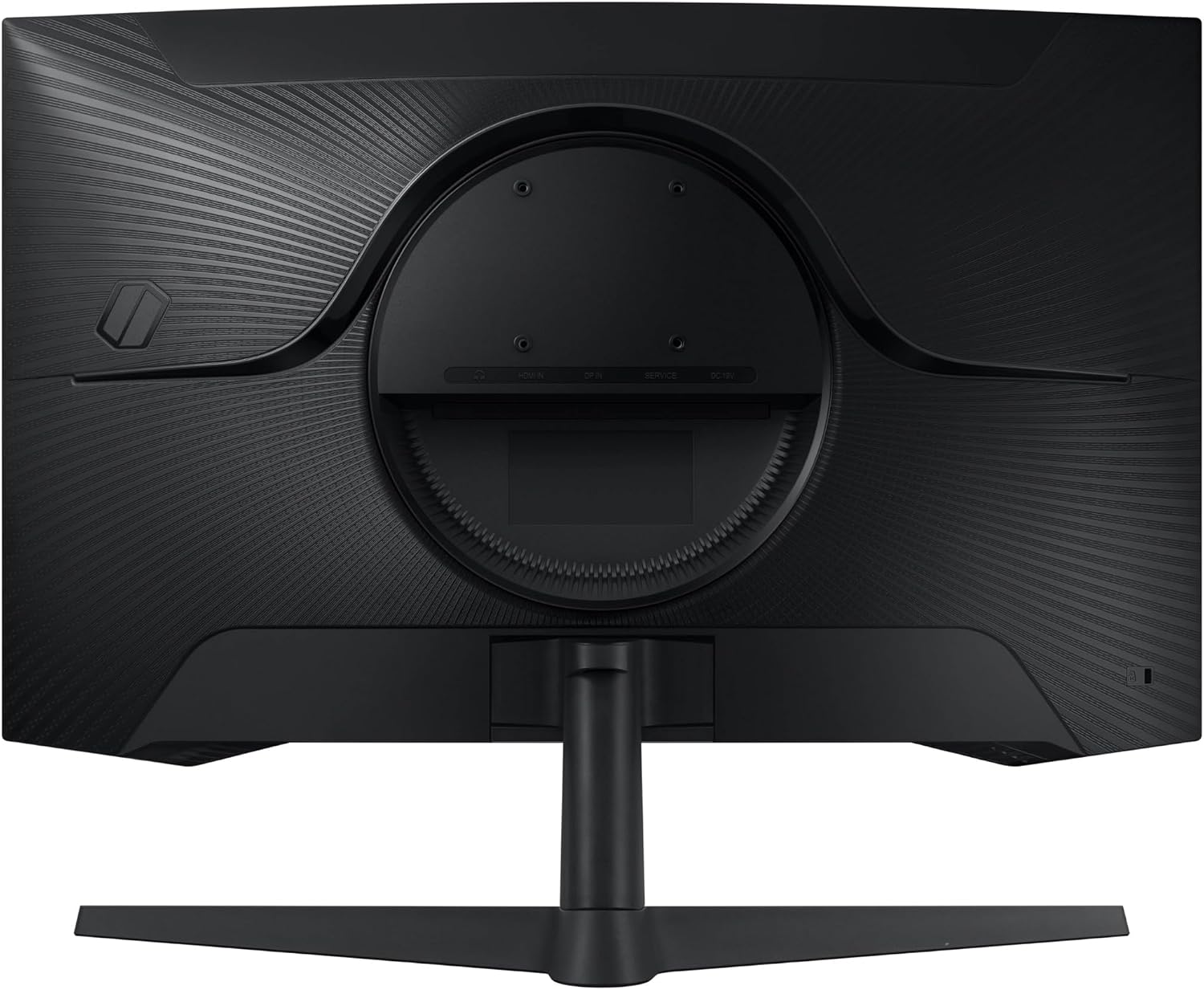
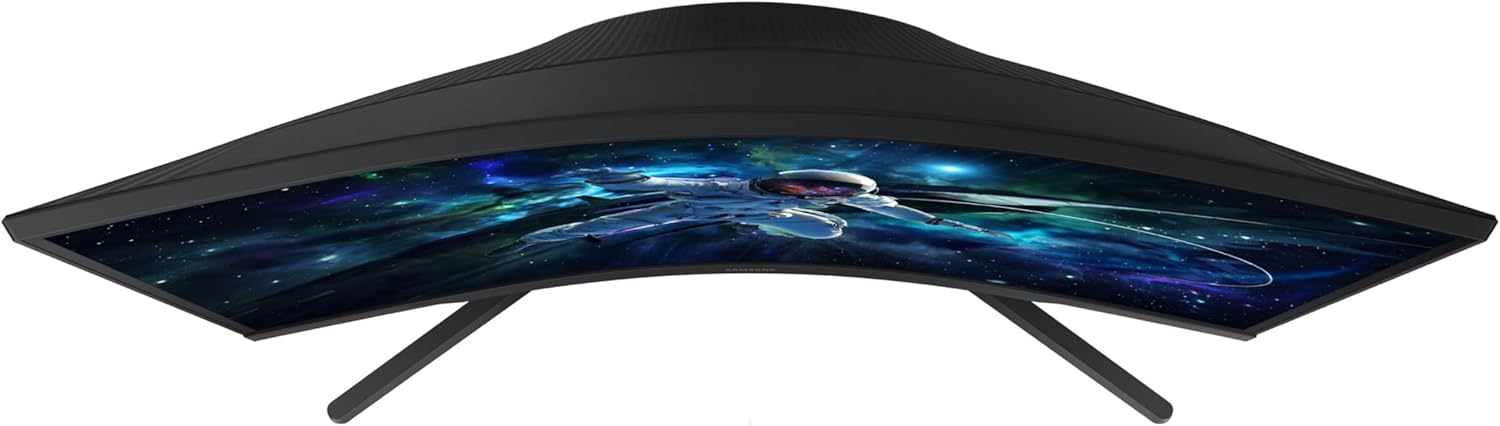
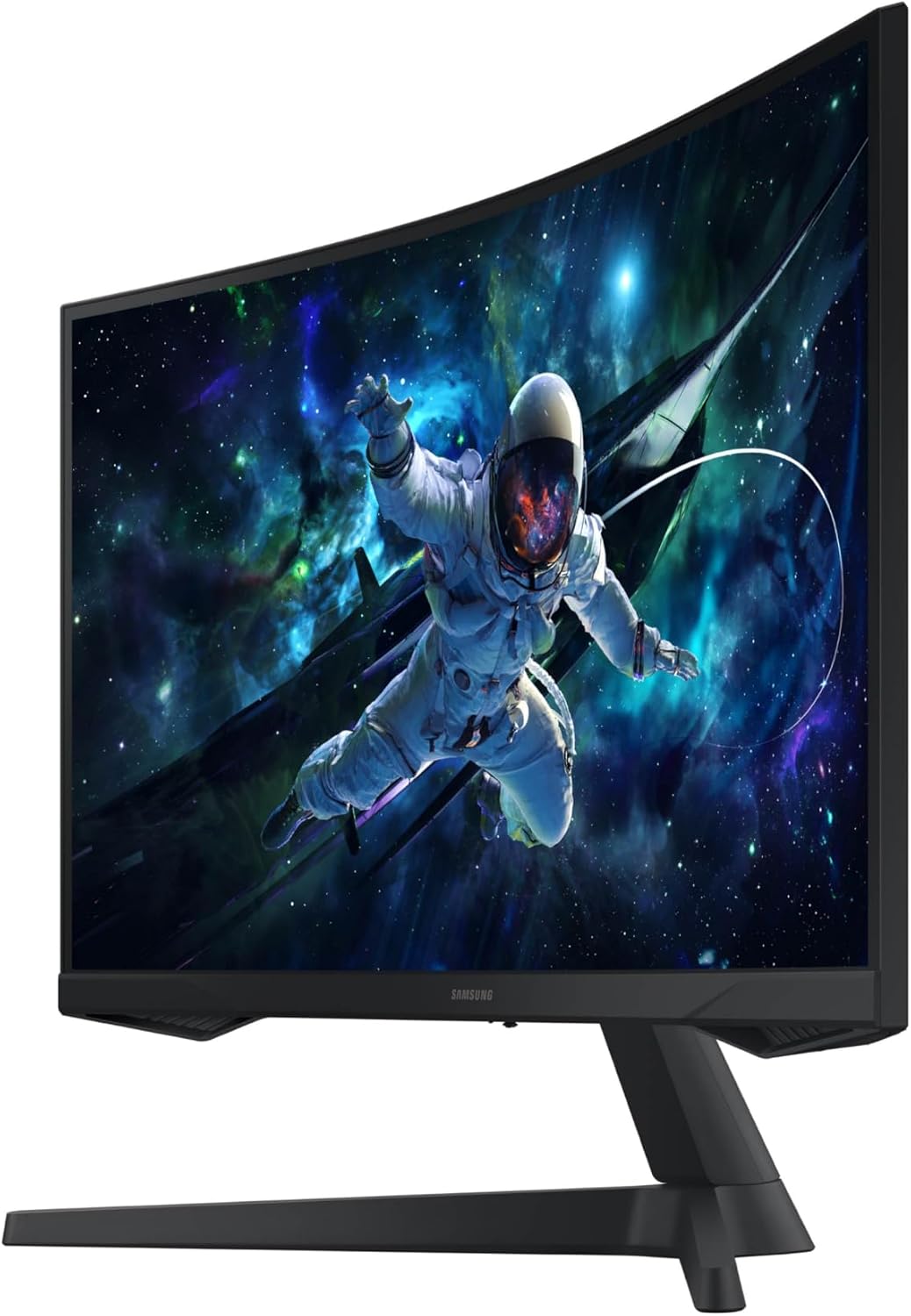
The monitor uses Samsung's black Odyssey gaming aesthetic with a wide V-shaped stand. The design is aimed toward gaming setups while remaining relatively understated.
Samsung lists the stand as supporting tilt adjustment from -2° to 18°, and the display supports 75 × 75 mm VESA mounting.
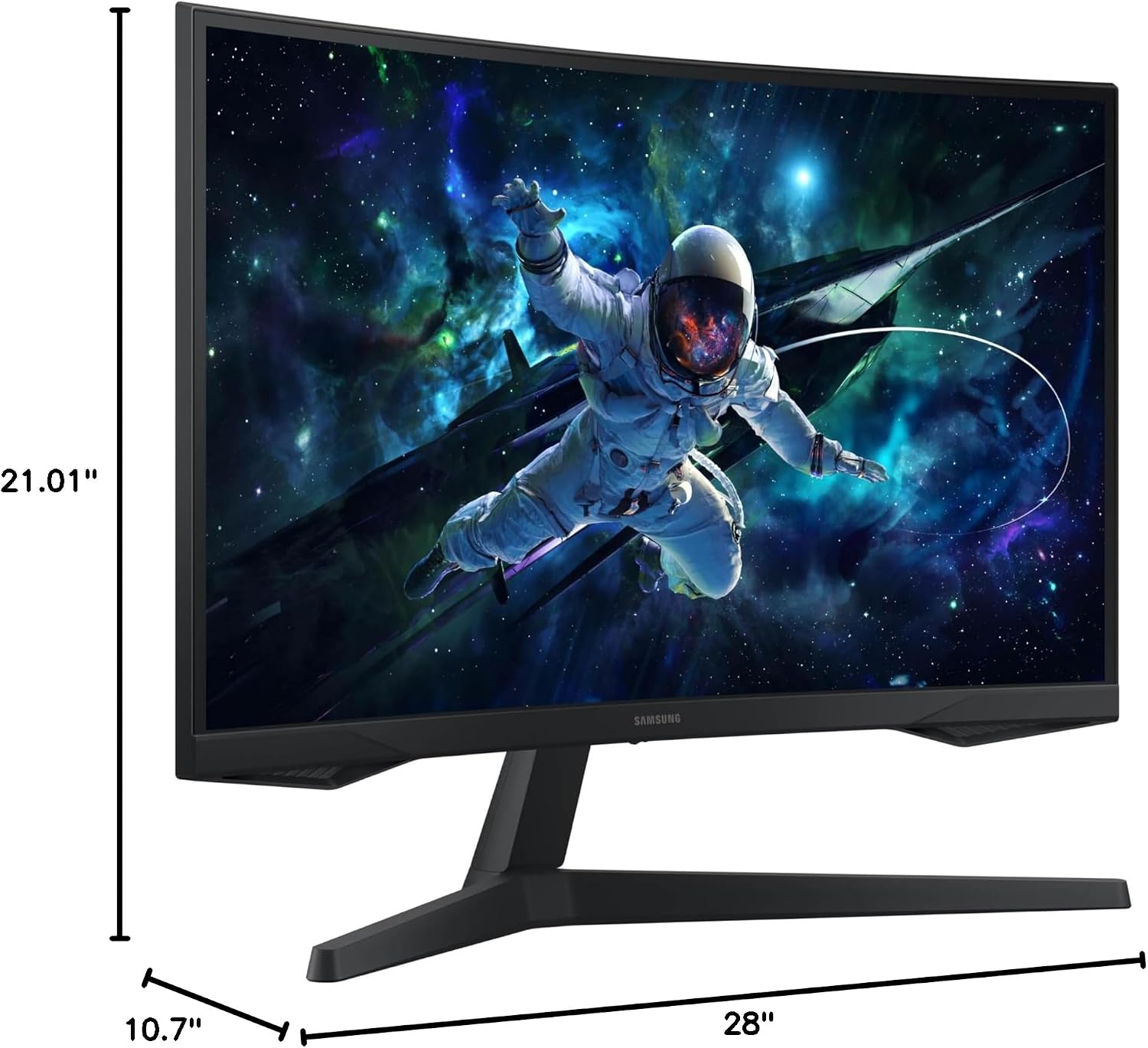
The official dimensions with stand are approximately 710.1 × 533.6 × 272.6 mm, with the monitor weighing around 5.2 kg with the stand.
Samsung Odyssey G55C Pros and Cons
Pros
- Large 32-inch display
- Sharp QHD 2560 × 1440 resolution
- Fast 165Hz refresh rate
- 1ms MPRT response specification
- Immersive 1000R curvature
- AMD FreeSync support
- HDR10 support
- VA panel with strong stated contrast
- Eye Saver Mode and Flicker Free
- VESA mounting support
Cons
- Only one HDMI input
- 300 cd/m² typical brightness is not especially high for premium HDR performance
- 1000R curvature may not appeal to users who prefer flat monitors
- 32-inch QHD requires a capable graphics card to take full advantage of 165Hz in demanding games
- VA technology may not provide the same motion performance or viewing characteristics as some premium gaming panels
Is the Samsung 32" Odyssey G55C Good for Gaming?
Yes, particularly for gamers who prioritize immersion and smooth gameplay.
The combination of 32-inch QHD resolution, 165Hz refresh rate, 1000R curvature, FreeSync and 1ms MPRT makes the G55C a strong gaming-focused configuration.
It should be especially attractive for players who want a much larger gaming display without stepping all the way up to more expensive enthusiast-level monitors.
For competitive gamers, however, a smaller high-refresh monitor may sometimes be preferable because it can be easier to keep the entire screen within your field of view.
Is 32-Inch QHD Better Than 27-Inch QHD?
This depends on how you use your monitor.
A 32-inch QHD monitor provides a larger physical image and can feel more immersive, making it attractive for RPGs, racing games, movies and general entertainment.
A 27-inch QHD monitor offers a higher pixel density because the same 2560 × 1440 resolution is displayed over a smaller area, which can make text and fine details appear particularly sharp.
For an immersive gaming setup, however, the G55C's 32-inch size and 1000R curve are a compelling combination.
Who Should Buy the Samsung Odyssey G55C?
The Samsung Odyssey G55C is a good match for someone who wants:
A large gaming screen: The 32-inch panel provides plenty of viewing area.
High-refresh gaming: 165Hz is well suited to smooth gameplay.
Immersion: The 1000R curve creates a more enveloping display experience.
QHD gaming: 2560 × 1440 provides a useful middle ground between Full HD and 4K.
Mixed-use functionality: Features such as Eye Saver Mode and Flicker Free also make it suitable for everyday PC use.
Who Should Consider Another Monitor?
This monitor may not be the best choice for someone who specifically wants:
- A flat display
- Extremely high HDR brightness
- Multiple HDMI inputs
- A premium 4K gaming experience
- A compact monitor for a small desk
The large 32-inch footprint and 1000R curve should also be considered before buying.
Samsung Odyssey G55C Buying Advice
Before purchasing, check the current Amazon price, availability and seller information, because those can change over time.
You should also make sure your gaming PC can comfortably drive 2560 × 1440 at high frame rates. A 165Hz monitor provides the most benefit when your system is capable of delivering high FPS.
For gamers upgrading from a 60Hz Full HD monitor, however, the jump to QHD + 165Hz + 1000R can represent a significant upgrade in both image quality and smoothness.
👉 Check the Latest Price on Amazon
Check Samsung 32" Odyssey G55C on Amazon
Prices and availability may change.
Frequently Asked Questions
Is the Samsung Odyssey G55C 4K?
No. The Samsung Odyssey G55C uses QHD resolution at 2560 × 1440, not 4K.
Does the Samsung G55C support 165Hz?
Yes. Samsung specifies a maximum refresh rate of 165Hz.
Is the Odyssey G55C curved?
Yes. It features a 1000R curved display.
Does it support AMD FreeSync?
Yes. Samsung lists AMD FreeSync support on the G55C.
Does the Samsung G55C support HDR?
Yes. The monitor supports HDR10.
Does it have a VESA mount?
Yes. Samsung specifies a 75 × 75 mm VESA mounting pattern.
Is 32-inch QHD good for gaming?
Yes. A 32-inch QHD monitor offers a large, detailed gaming image. The G55C adds a 165Hz refresh rate and 1000R curvature for a more gaming-focused experience.
Final Verdict
The Samsung 32" Odyssey G55C is an appealing gaming monitor for users who want a large, immersive display without jumping straight to a premium 4K gaming monitor.
Its biggest strengths are the combination of QHD resolution, 165Hz refresh rate, 1000R curvature, AMD FreeSync, HDR10 and 1ms MPRT.
For gamers who enjoy immersive single-player games, racing titles and fast-paced action, the G55C has a well-rounded feature set. It can also work effectively as an everyday productivity and entertainment monitor.
Overall, the Samsung Odyssey G55C is worth considering for gamers looking for a 32-inch QHD 165Hz curved monitor with strong gaming-focused features.
Affiliate Disclosure
Disclosure: GearHavenly participates in affiliate marketing programs, including the Amazon Associates Program. This means we may earn a commission when you purchase through links on this page, at no additional cost to you. Our recommendations are based on the product's features and available information.