
Xbox Wireless Gaming Controller Carbon Black Review
A good gaming controller needs to do more than simply move your character and fire weapons. It should feel comfortable during long sessions, provide dependable controls, connect easily to your preferred devices, and give you enough flexibility to move between console, PC and mobile gaming.
The Xbox Wireless Gaming Controller in Carbon Black is designed around exactly that idea. It combines Microsoft's familiar Xbox controller layout with a modernized design, textured grip surfaces, a hybrid D-pad, a dedicated Share button, Bluetooth connectivity and USB-C support. Microsoft also rates its AA-battery setup for up to 40 hours of battery life, although actual battery life varies with usage and accessories.
For gamers looking for a controller that can work across multiple platforms without a complicated setup, this model is a strong all-purpose option.
Check the Xbox Wireless Controller Carbon Black on Amazon
Affiliate Disclosure: This article contains affiliate links. We may earn a commission from qualifying purchases at no additional cost to you.
At a Glance
| Feature | Details |
|---|---|
| Product | Xbox Wireless Gaming Controller |
| Color | Carbon Black |
| Manufacturer | Microsoft |
| Connectivity | Xbox Wireless, Bluetooth, USB-C |
| D-Pad | Hybrid D-pad |
| Grip | Textured grip on triggers, bumpers and back case |
| Share Button | Yes |
| Headset Support | 3.5mm headset jack |
| Battery | 2 AA batteries, up to 40 hours claimed |
| Compatible Devices | Xbox Series X|S, Xbox One, Windows PC, Android, iOS and select supported devices |
| Customization | Xbox Accessories app |
| Model | EP2-29929 |
The controller's connectivity and compatibility are based on Microsoft's specifications, while the model number and product details correspond to the Amazon listing associated with ASIN B0F1HX3WXX.
Modern Xbox Design With a Comfortable Feel
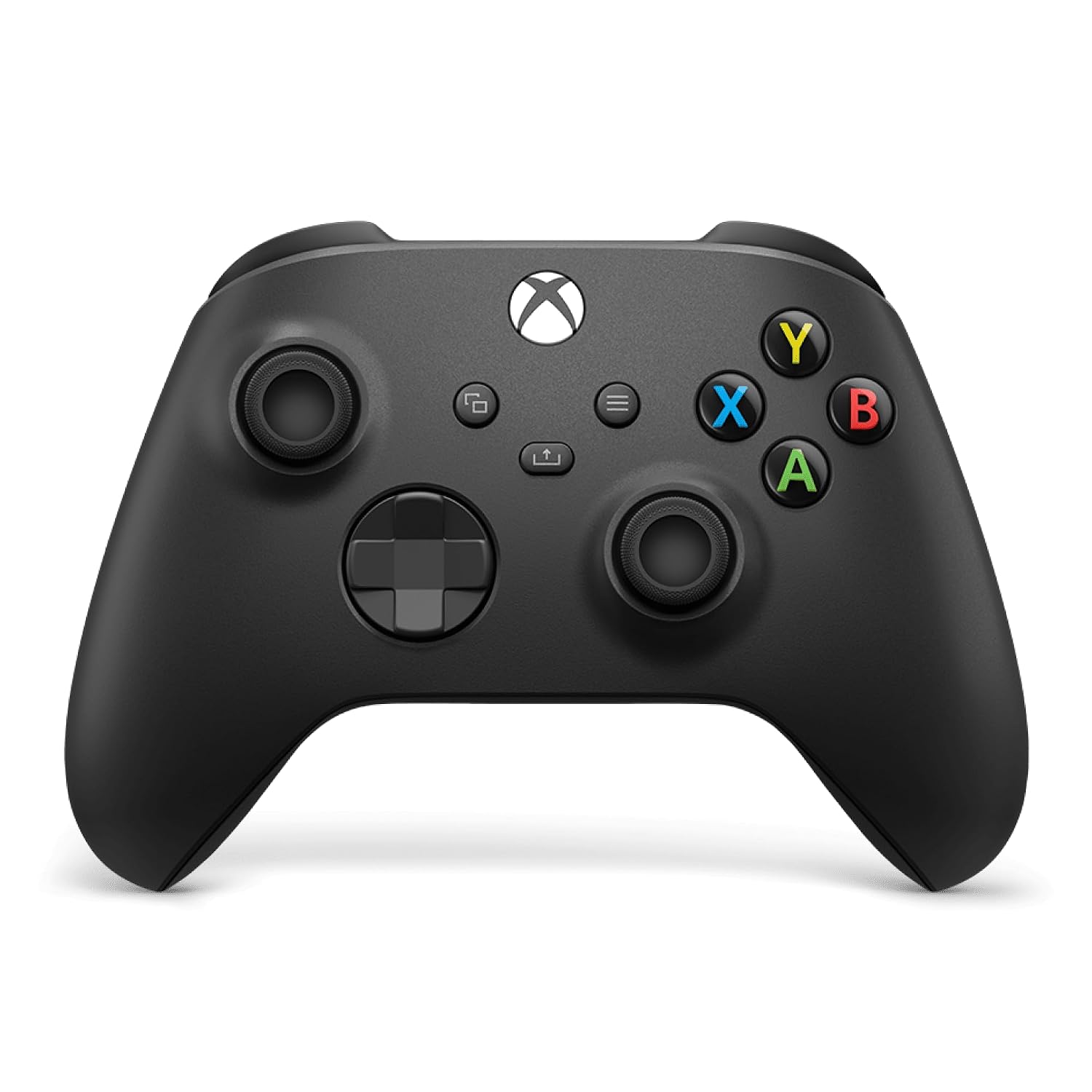
The Carbon Black finish gives the controller a clean, understated appearance that fits naturally with a gaming setup.
Microsoft describes the controller as having sculpted surfaces and refined geometry designed to improve comfort and control. The result is the familiar Xbox controller shape with subtle refinements intended for longer gaming sessions.
The asymmetrical analog-stick layout remains instantly recognizable, while the textured surfaces help provide a more secure hold when your hands get busy during competitive gameplay.
Textured Thumbsticks and Hybrid D-Pad
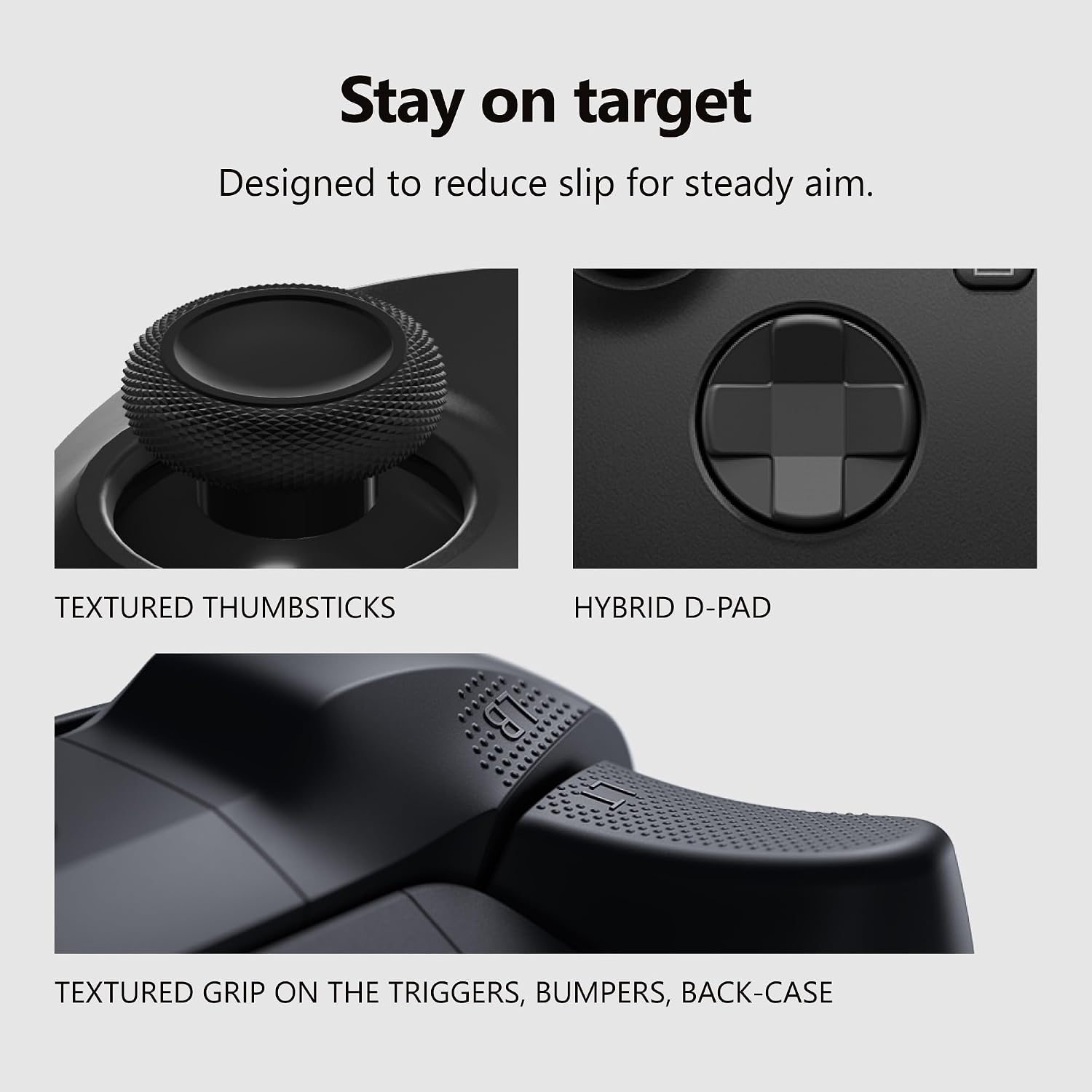
Control precision is one of the most important parts of any gamepad, and this controller focuses heavily on grip and tactile feedback.
The thumbsticks feature textured surfaces to help reduce slipping, while the hybrid D-pad provides a refined version of the traditional Xbox directional pad. Microsoft's design specifically highlights these features for improved control and accuracy.
The textured treatment isn't limited to the sticks. The triggers, bumpers and back case also feature textured grip surfaces.
Why this matters
For racing, shooters, sports games and action titles, small changes in finger position can affect control. A grippy surface helps keep your hands positioned consistently, particularly during longer sessions.
Dedicated Share Button for Quick Game Clips
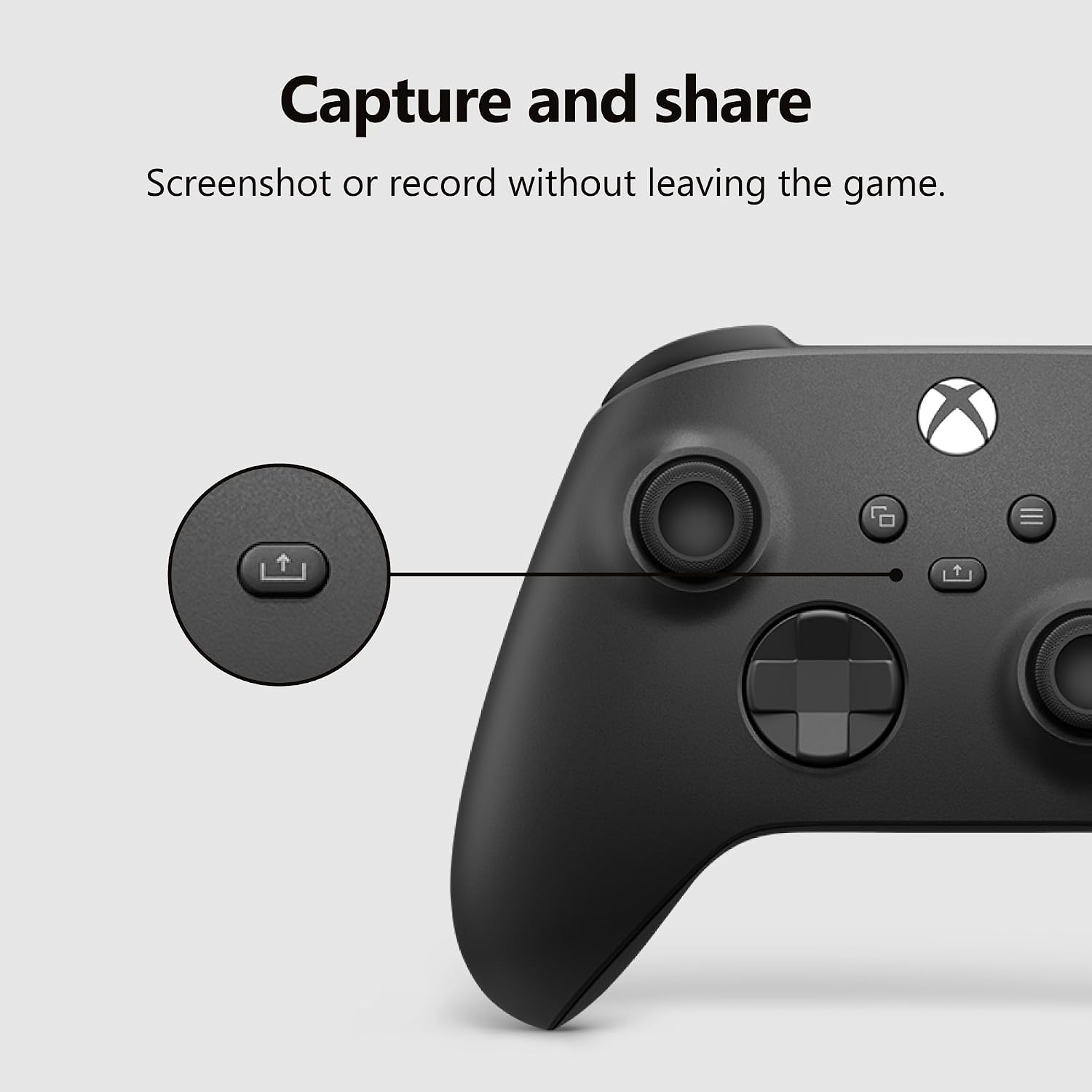
The dedicated Share button is one of the practical additions to this generation of Xbox controllers.
Instead of navigating through menus to capture content, you can use the dedicated button to capture and share screenshots or recordings while playing. Microsoft specifically highlights the controller's enhanced sharing functionality.
For gamers who frequently save funny moments, competitive highlights or memorable gameplay, this is a genuinely useful addition.
Xbox Wireless, Bluetooth and USB-C Connectivity
[IMAGE 5 – Connectivity image]
One of this controller's biggest advantages is its connectivity flexibility.
You can connect to compatible Xbox consoles using Xbox Wireless, while Bluetooth allows wireless pairing with supported Windows PCs, Android devices and iOS devices. The controller also supports USB-C, giving you a wired connection option.
That makes it useful for gamers who own multiple gaming platforms.
Multiple ways to connect
Xbox Wireless: Ideal for compatible Xbox consoles.
Bluetooth: Convenient for supported PCs, tablets and mobile devices.
USB-C: Useful when you want a wired connection or need a direct connection for compatible setups.
This versatility is one of the strongest reasons to consider the controller over a platform-specific gamepad.
Play Across Xbox, PC and Mobile Devices
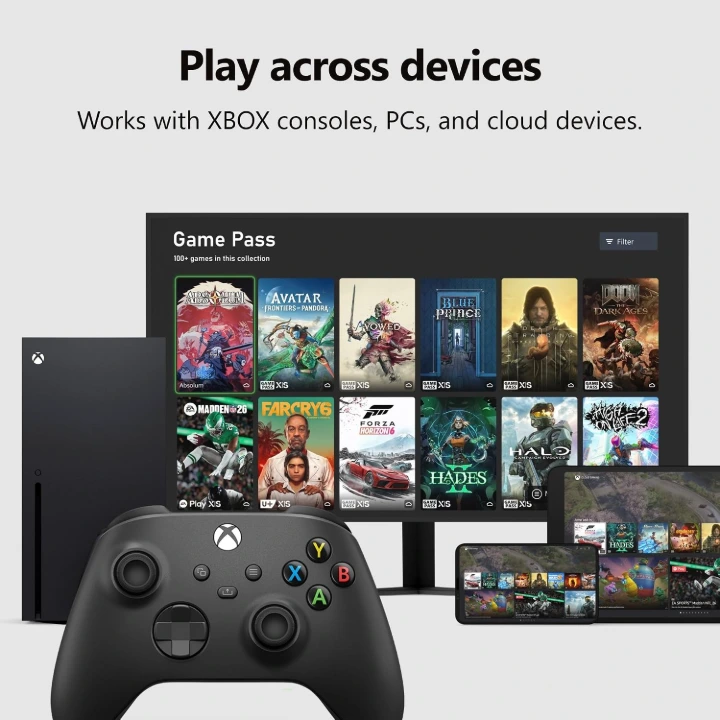
The Xbox Wireless Controller is built for more than just Xbox consoles.
Microsoft lists compatibility with Xbox Series X, Xbox Series S, Windows 10/11, Android and iOS, with certain functionality varying by device and connection method.
That makes it particularly appealing for households where one controller needs to serve several purposes.
You can use it for:
- Xbox console gaming
- Windows PC gaming
- Compatible Android gaming
- Compatible iPhone/iPad gaming
- Cloud gaming on supported devices
Important: Bluetooth and mobile functionality can vary depending on the specific device, operating system version and game.
Battery Life of Up to 40 Hours
The controller uses two AA batteries and Microsoft states battery life can reach up to 40 hours. Actual battery performance can vary significantly depending on usage, accessories and other factors.
For users who prefer rechargeable batteries, Microsoft also offers a separate Xbox Rechargeable Battery + USB-C accessory.
This gives buyers a choice between keeping spare AA batteries around or using a rechargeable solution.
3.5mm Headset Support
The controller includes a 3.5mm audio jack, allowing compatible wired headsets to be connected directly to the controller.
This can be especially convenient for Xbox and PC gamers who don't want to connect their headset separately.
Customizable Controls
The Xbox Wireless Controller also works with the Xbox Accessories app, allowing supported users to remap buttons and customize controller settings. Microsoft notes that button mapping is supported on Xbox Series X|S, Xbox One and Windows 10/11 through the Xbox Accessories app.
This is useful for gamers who prefer alternative button layouts or want to tailor controls to specific games.
What's in the Design?
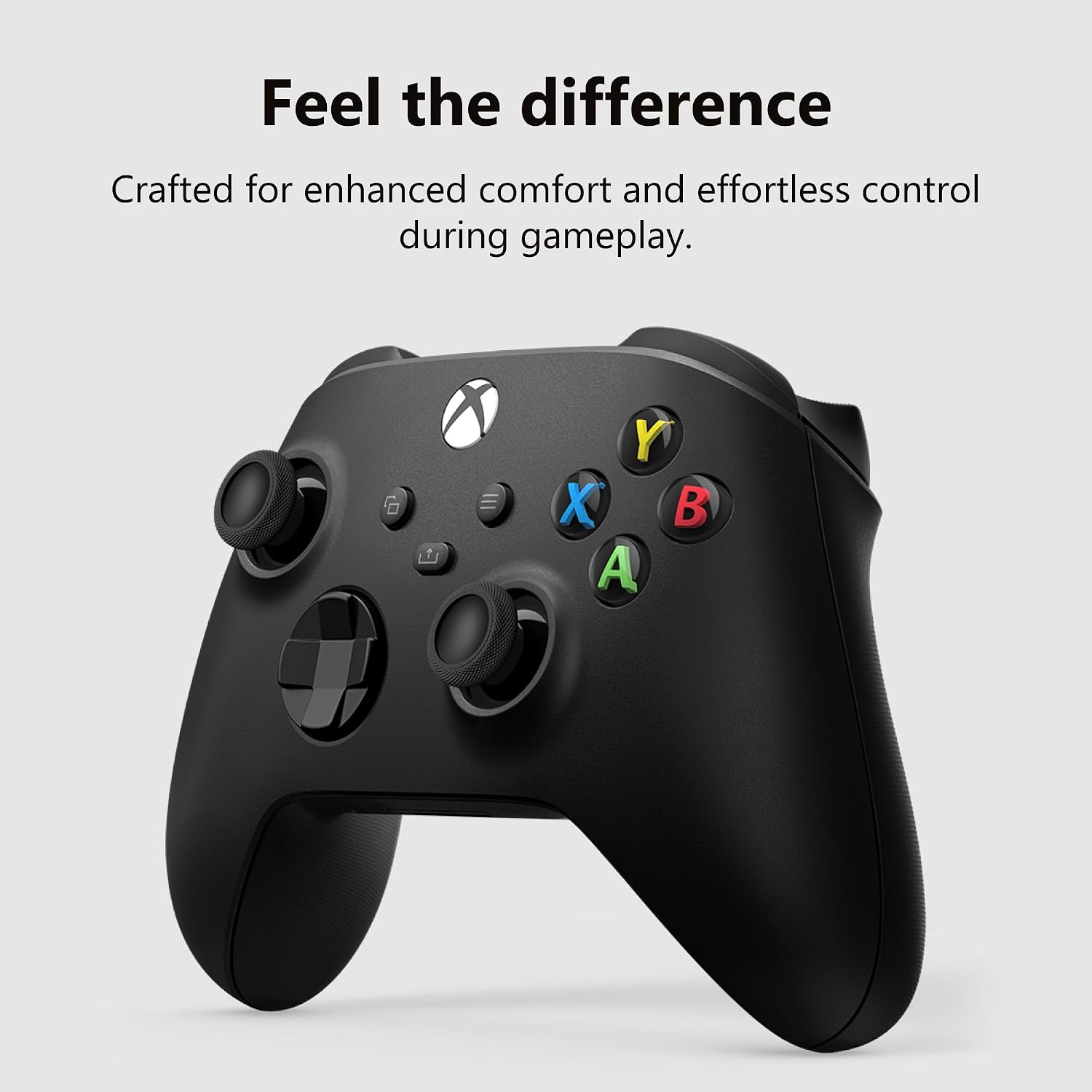
The Carbon Black model keeps the classic Xbox control layout:
- Two asymmetrical analog sticks
- Hybrid D-pad
- ABXY buttons
- Menu and View buttons
- Dedicated Share button
- Textured triggers and bumpers
- Textured rear grip
- Xbox button
- 3.5mm headset connection
- USB-C port
The design is familiar enough that an Xbox player can pick it up and start playing with little adjustment.
Carbon Black Appearance
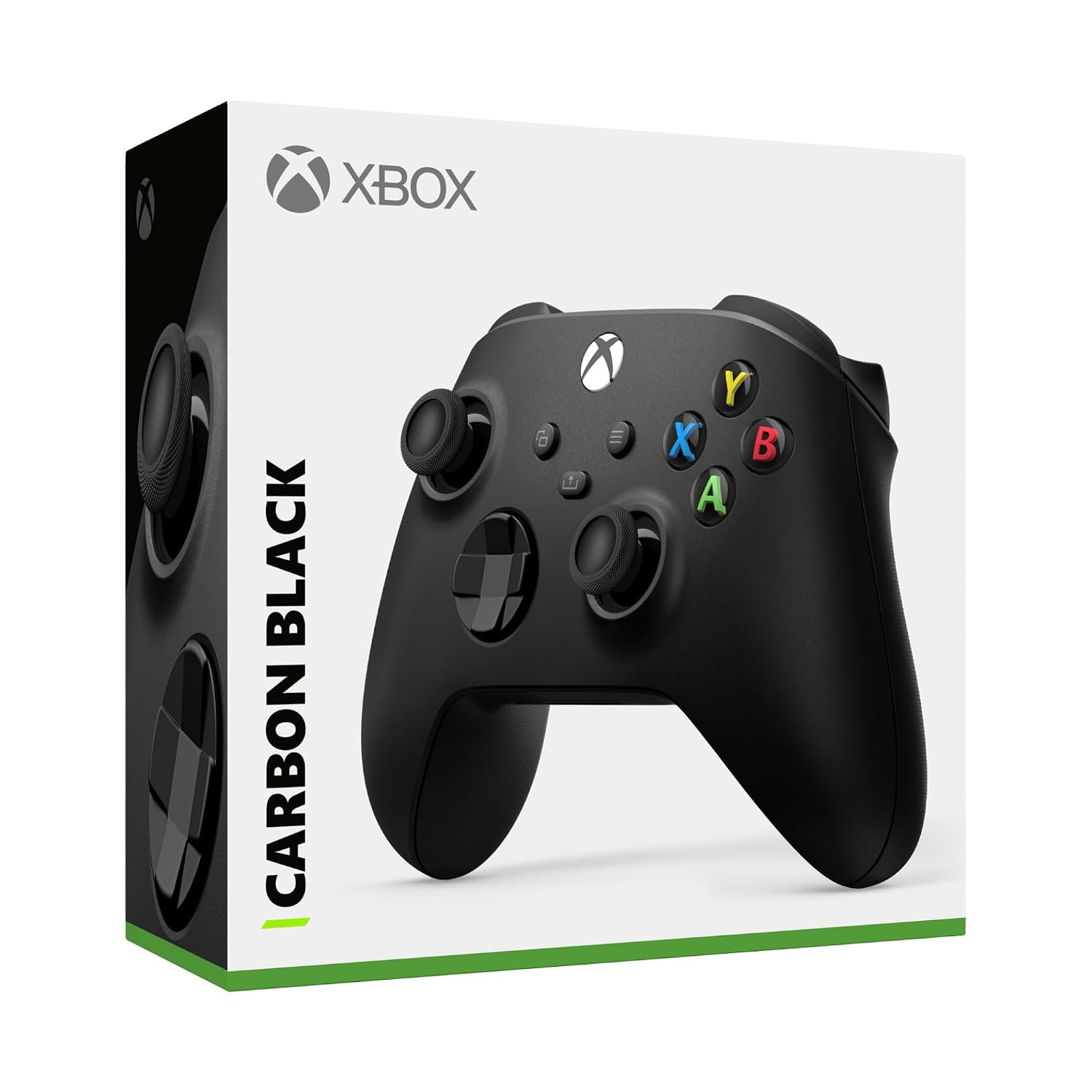
The Carbon Black colorway is ideal for gamers who prefer a traditional, understated setup.
Rather than using bright accent colors throughout the body, the controller relies on a dark matte-style finish with the classic colored ABXY buttons providing the main visual contrast.
This also makes it an easy match for most black gaming desks, monitors, consoles and PC accessories.
Front and Back Design Overview
[IMAGE 8 – Front/back annotated image]
The front and rear design highlights several of the controller's most important features, including the hybrid D-pad, Share button, Xbox Wireless/Bluetooth functionality and textured grip.
The rear grip is particularly important during extended gameplay because your fingers naturally rest against these areas while holding the controller.
Pros and Cons
Pros
Comfortable modernized design
The sculpted shape and refined geometry are designed for comfortable gameplay.
Excellent connectivity flexibility
Xbox Wireless, Bluetooth and USB-C give you several connection options.
Useful textured surfaces
Textured thumbsticks, triggers, bumpers and back-case grip help with handling.
Dedicated Share button
Quickly capture and share gameplay without relying entirely on menus.
Wide device compatibility
Works across compatible Xbox consoles, Windows PCs and supported mobile devices.
3.5mm headset jack
Convenient for compatible wired gaming headsets.
Customizable button mapping
Supported devices can use the Xbox Accessories app for control customization.
Cons
AA batteries are required
Rechargeable functionality requires a separate battery accessory or rechargeable AA batteries.
Bluetooth functionality isn't identical to Xbox Wireless
Some features can vary depending on the device and connection method.
No built-in rechargeable battery
Users wanting an integrated rechargeable battery may prefer controllers designed around that setup.
Who Should Buy the Xbox Wireless Controller Carbon Black?
This controller makes the most sense for gamers who want one versatile gamepad for multiple devices.
It is particularly well suited to:
Xbox owners: The native Xbox Wireless connection makes it an obvious choice for Xbox consoles.
PC gamers: Bluetooth and USB-C provide convenient connectivity options.
Cloud gamers: Its broad compatibility makes it useful for supported cloud-gaming setups.
Multi-platform households: One controller can serve console, PC and compatible mobile gaming needs.
Casual and competitive gamers: The textured controls and familiar Xbox layout work well for everything from casual games to fast-paced competitive titles.
Is the Xbox Wireless Controller Carbon Black Worth Buying?
The Xbox Wireless Controller Carbon Black remains an appealing all-round controller because it balances comfort, familiar controls, versatile connectivity and broad compatibility.
Its biggest strengths are the textured grip surfaces, hybrid D-pad, dedicated Share button and ability to move between Xbox, PC and supported mobile devices. Microsoft's official specifications also make the up-to-40-hour AA battery rating and multi-device connectivity a key part of its appeal.
For someone who wants a dependable controller without moving away from Microsoft's familiar Xbox layout, the Carbon Black model is an easy option to consider.
Our Verdict: 9/10
Best for: Xbox gamers, PC gamers, cloud gaming, multi-device households and anyone who prefers the Xbox controller layout.
Final Thoughts
The Xbox Wireless Gaming Controller – Carbon Black isn't trying to reinvent the gamepad. Instead, it improves on a proven design by adding practical features that matter in everyday gaming.
You get a comfortable sculpted design, textured controls, a hybrid D-pad, dedicated Share button, Xbox Wireless, Bluetooth, USB-C and compatibility across multiple supported platforms.
For gamers who want a controller that can move seamlessly between their console and other devices, it's one of the more versatile options in Microsoft's lineup.
🛒 Check Price & Availability on Amazon
Prices and availability can change. Check Amazon for the latest offer before purchasing.