
Havit HV-F2056 Review: An Affordable Cooling Pad for Larger Laptops
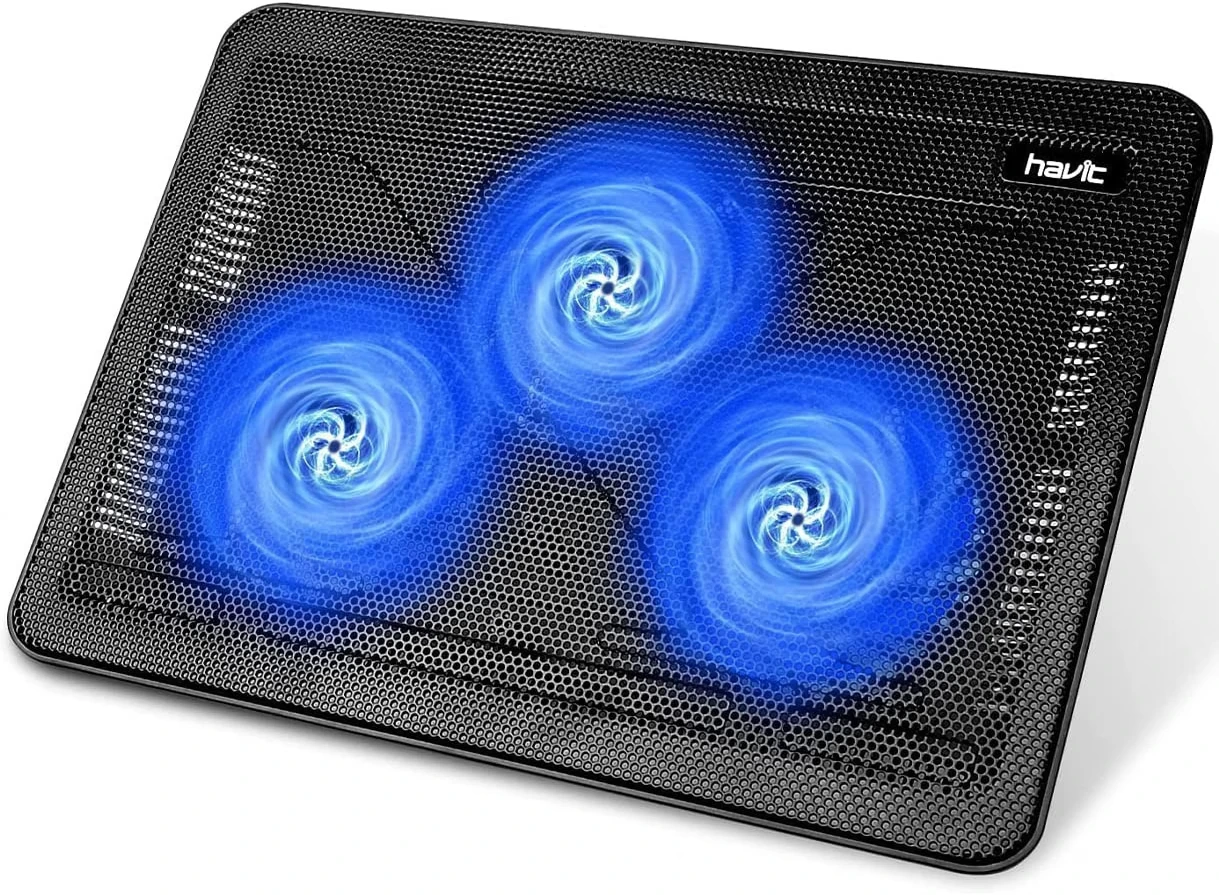
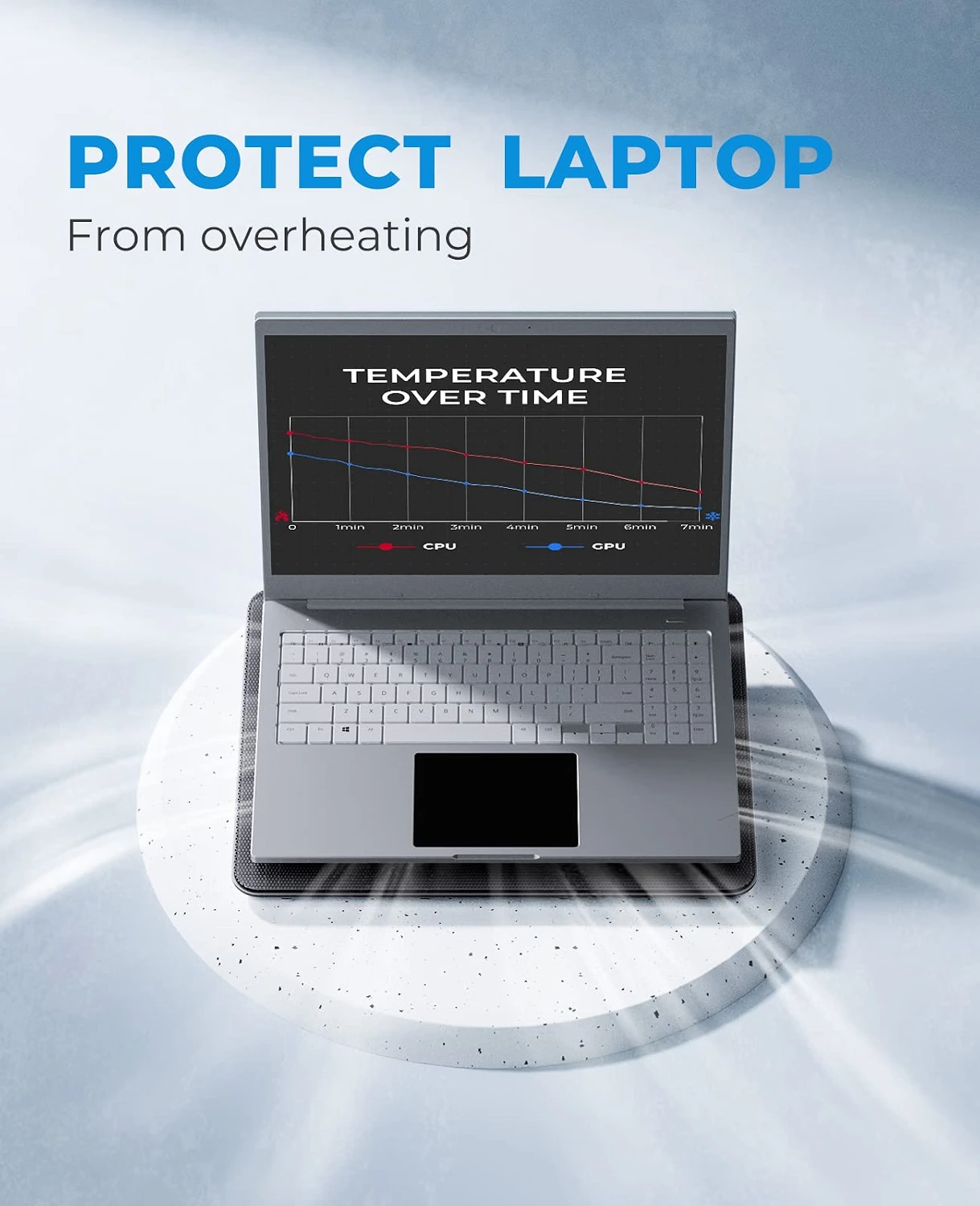
Laptops can become noticeably warm during demanding tasks such as gaming, video editing, extended multitasking, or running CPU- and GPU-intensive applications. A good cooling pad can help improve airflow underneath the machine and provide a more comfortable setup.
The havit HV-F2056 Laptop Cooling Pad is designed for 15.6-inch to 17-inch laptops and combines three large fans, a metal-mesh surface, adjustable height, blue LED lighting, and additional USB connectivity. Havit lists the cooling pad with three 110 mm fans capable of delivering up to 65 CFM airflow, while the fans are rated around 1,100 ± 200 RPM.
But is this older, straightforward cooling pad still worth considering?
Let's take a closer look.
What Is the Havit HV-F2056?
The Havit HV-F2056 is a USB-powered laptop cooling pad and ergonomic stand designed primarily for larger laptops.
Instead of relying on a single high-speed fan, it uses three 110 mm fans positioned beneath the laptop to move air toward the underside of the device. The manufacturer specifies 65 CFM airflow, while the open metal-mesh surface is designed to allow airflow between the pad and laptop.
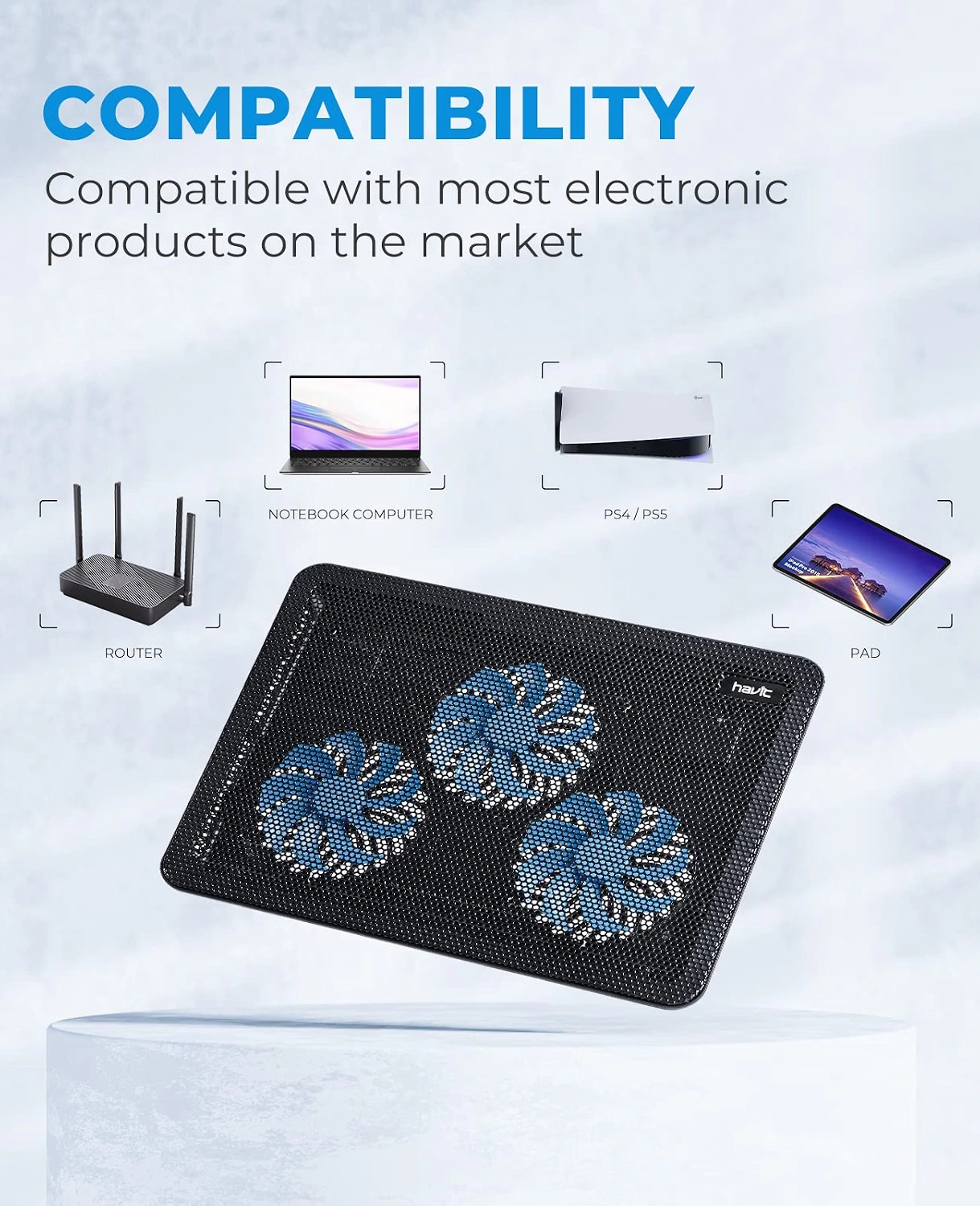
It is compatible with laptops between 15.6 and 17 inches, making it particularly suitable for larger gaming laptops and workstations.
Key Specifications
| Feature | Havit HV-F2056 |
|---|---|
| Compatible Laptop Size | 15.6–17 inches |
| Number of Fans | 3 |
| Fan Size | 110 mm each |
| Airflow | Up to 65 CFM |
| Fan Speed | 1100 ± 200 RPM |
| USB Ports | 2 |
| Material | HIPS + metal mesh |
| Voltage | 5V DC |
| USB Cable Length | 60 cm |
| Dimensions | 380 × 280 × 28 mm |
| Weight | 680 g / 1.5 lb |
| LED | Blue |
| Height Adjustment | Yes |
Specifications are based on Havit's product information and the HV-F2056 manual.
1. Three 110 mm Fans for Better Airflow
The biggest selling point of the HV-F2056 is its three-fan cooling system.
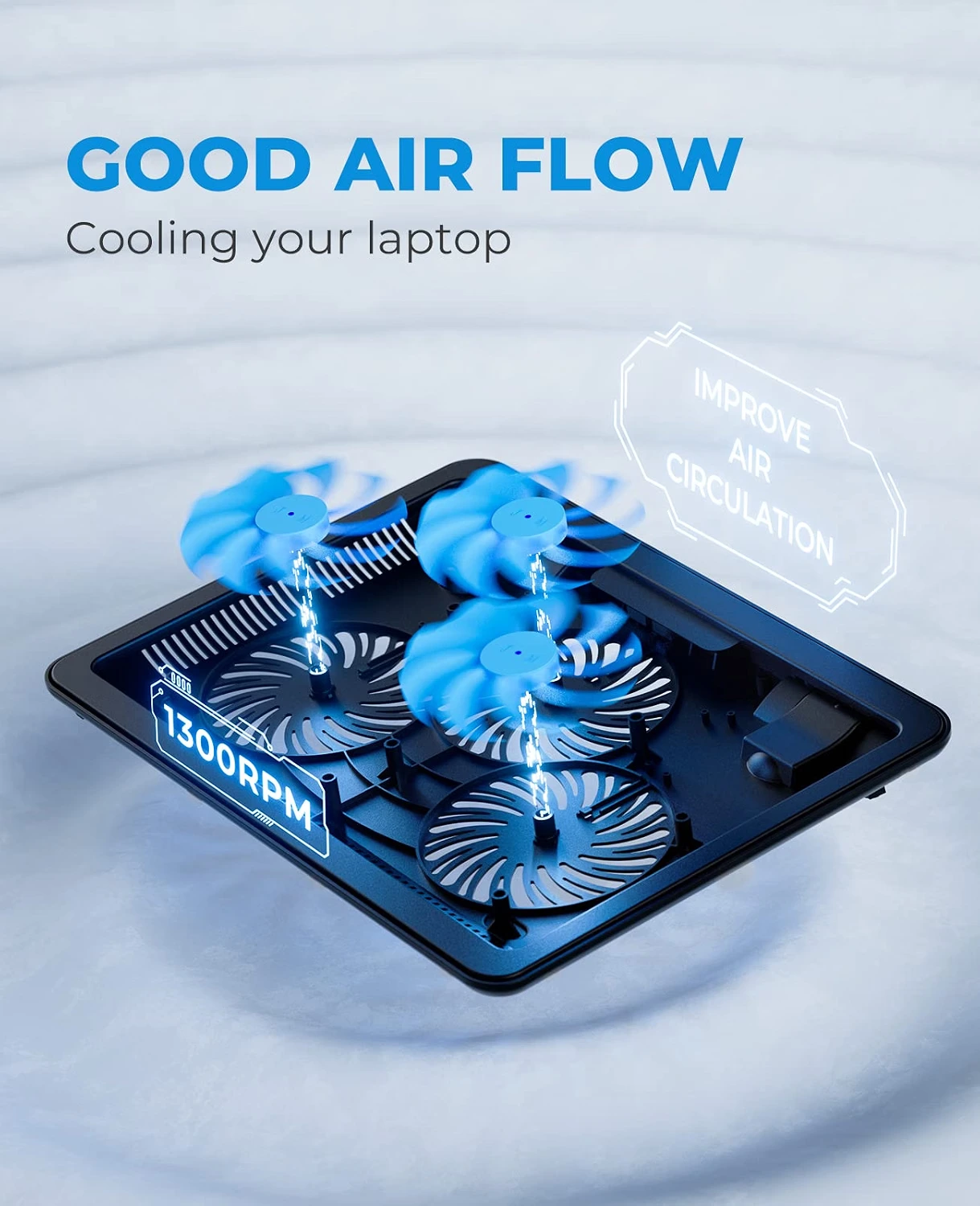
Each fan measures 110 mm, giving the cooling pad a broad airflow area underneath a larger laptop. Havit rates the system for 65 CFM airflow, with the fans operating at approximately 1,100 ± 200 RPM.
This design makes sense for laptops with ventilation openings across a larger section of the bottom panel.
However, cooling pads don't directly control a laptop's internal temperature. Their effectiveness depends on the laptop's own cooling system, vent placement, workload, room temperature, and whether the laptop is being used on a surface that restricts airflow.
So think of the HV-F2056 as an airflow aid, rather than a guaranteed solution for overheating.
2. Open Metal-Mesh Surface
The cooling pad uses a metal-mesh top surface rather than a completely solid platform.
This design allows air from the three fans to move upward toward the laptop's underside while also giving the device a stable surface to sit on. Havit lists the construction as HIPS and metal mesh.
For users who frequently game or work for long periods, this open design can be useful because the laptop isn't sitting directly on a completely solid surface.
Why This Matters
A laptop placed directly on a soft bed, blanket, or other surface can have restricted airflow around its vents. A cooling stand raises the laptop and creates more space underneath it.
3. Adjustable Height for Better Ergonomics
Cooling isn't the only purpose of this device.
The HV-F2056 also works as an adjustable laptop stand, allowing you to change the angle of the laptop. Havit describes the design as offering adjustable viewing and typing angles.
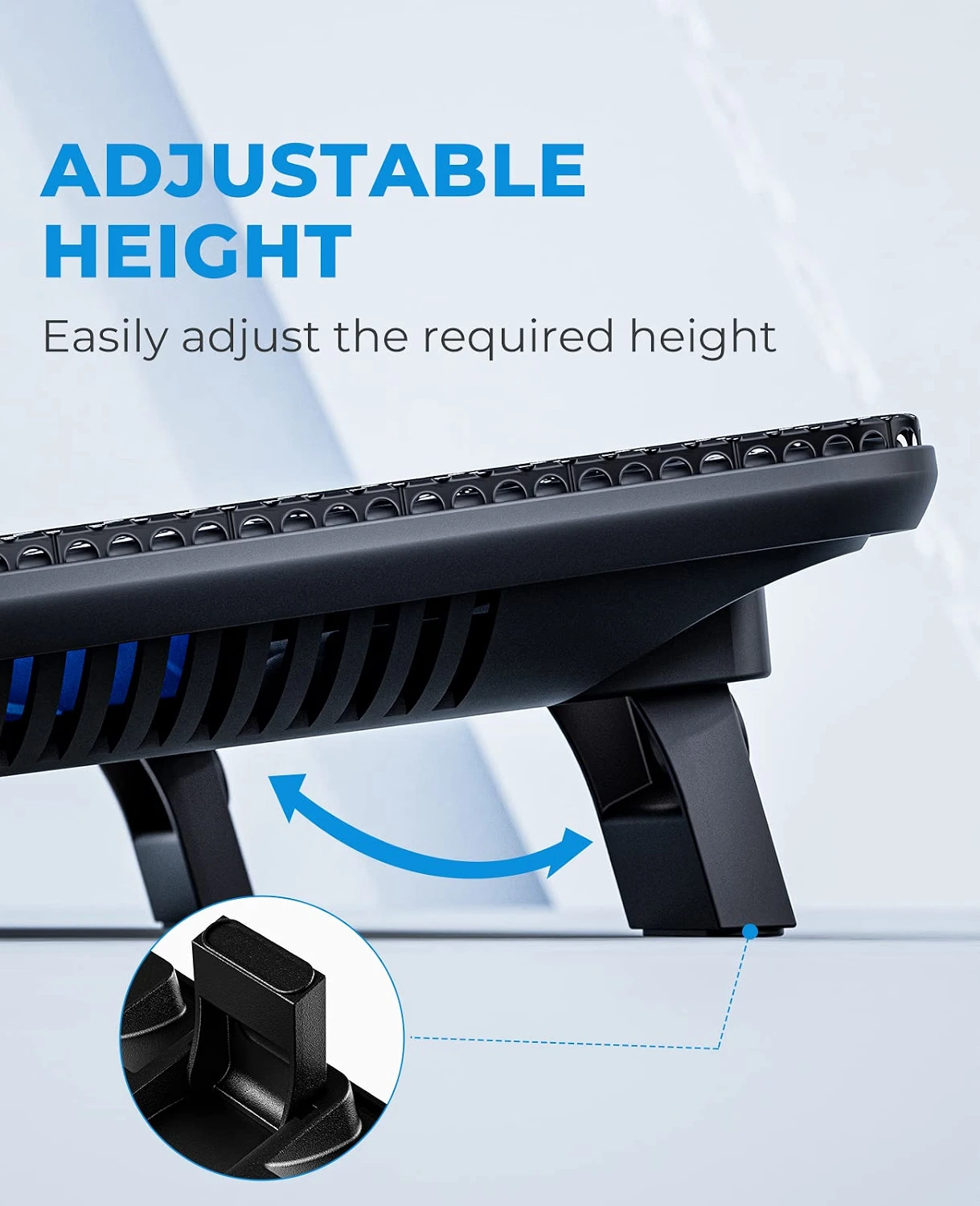
This can be useful when you're working for several hours because the laptop screen and keyboard can be positioned at a more comfortable angle.
For people using a laptop as a desktop replacement, this is one of the more practical features of the HV-F2056.
4. Two Extra USB Ports
A common problem with USB-powered accessories is losing access to a laptop USB port.
The HV-F2056 addresses this by providing two additional USB ports on the cooling pad.
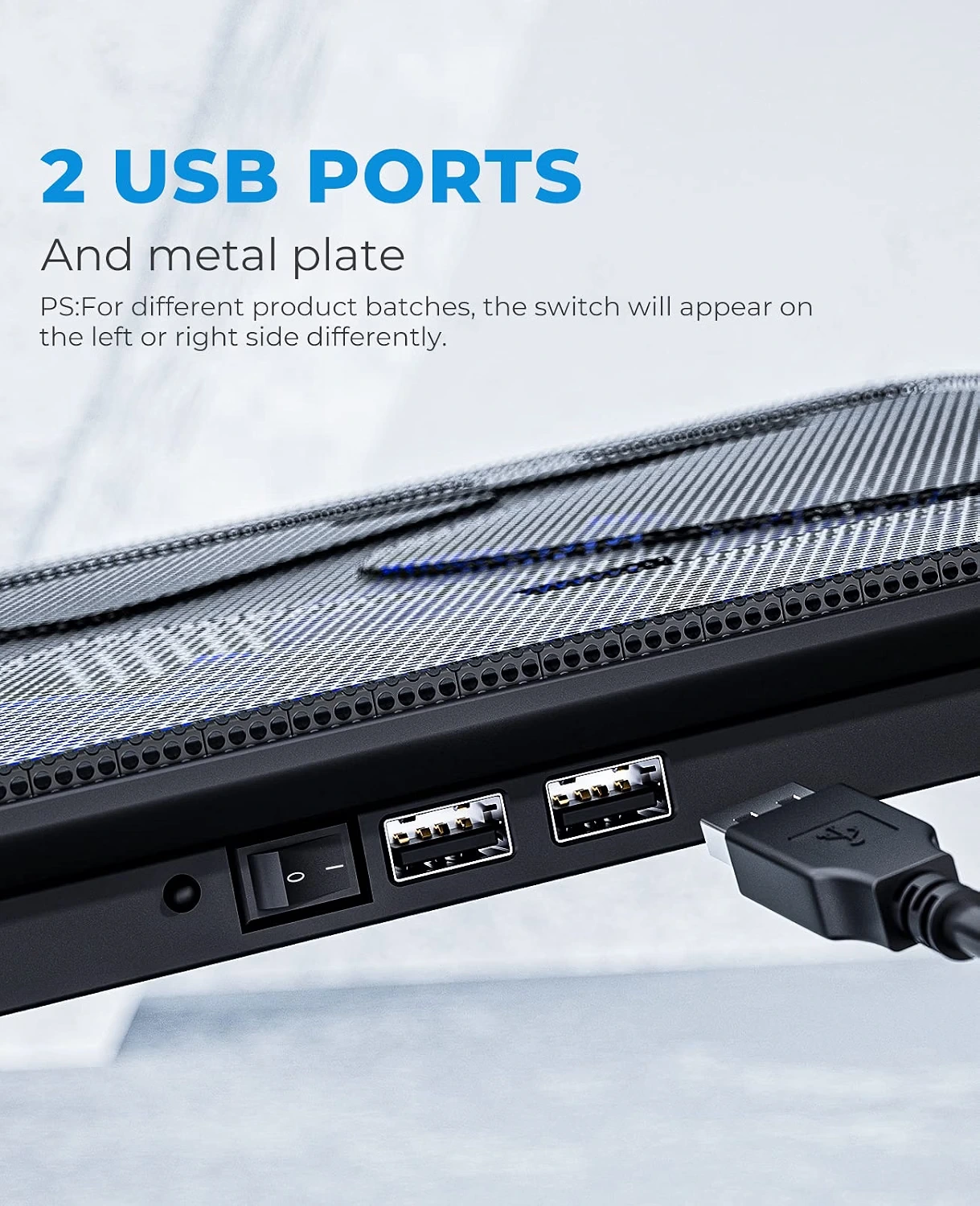
You connect the cooling pad to your laptop using USB, while the additional ports can be useful for low-power peripherals.
This makes the cooling pad more than just a fan platform—it can also act as a small USB expansion point.
Keep in mind: additional USB ports shouldn't be treated as equivalent to a dedicated powered USB hub for demanding devices.
5. Blue LED Lighting
Each of the three fans features blue LED lighting.
The lighting doesn't improve cooling performance, but it gives the cooling pad a more gaming-oriented appearance.
For a gaming setup with other RGB or LED accessories, the blue lighting can fit naturally into the overall aesthetic.
Users who prefer a completely dark workspace may find the illumination less appealing.
6. Is the Havit HV-F2056 Quiet?
Havit markets the HV-F2056 as having a whisper-quiet / quiet fan design.

The relatively low fan speed of around 1,100 RPM also helps explain why the product isn't designed around extremely aggressive fan speeds.
Still, actual noise depends on the environment, laptop surface, and individual perception. A cooling pad with three fans will naturally produce some sound while operating.
For office work, browsing, studying, and general productivity, its design should be more appropriate than an aggressively high-RPM gaming cooler.
7. Compatibility: Which Laptops Can Use It?
The Havit HV-F2056 is designed for 15.6-inch to 17-inch laptops.
That includes many:
- Gaming laptops
- Business laptops
- Workstation laptops
- Large productivity laptops
- 17-inch laptops
Before buying, however, it is better to compare your laptop's actual dimensions and bottom ventilation layout rather than relying only on screen size.
A 17-inch laptop with unusual dimensions may fit differently from a standard 17-inch model.
Havit HV-F2056 Dimensions and Portability
The cooling pad measures approximately 380 × 280 × 28 mm, or 14.96 × 11.02 × 1.10 inches. The manual lists the weight at about 680 g / 1.5 lb.
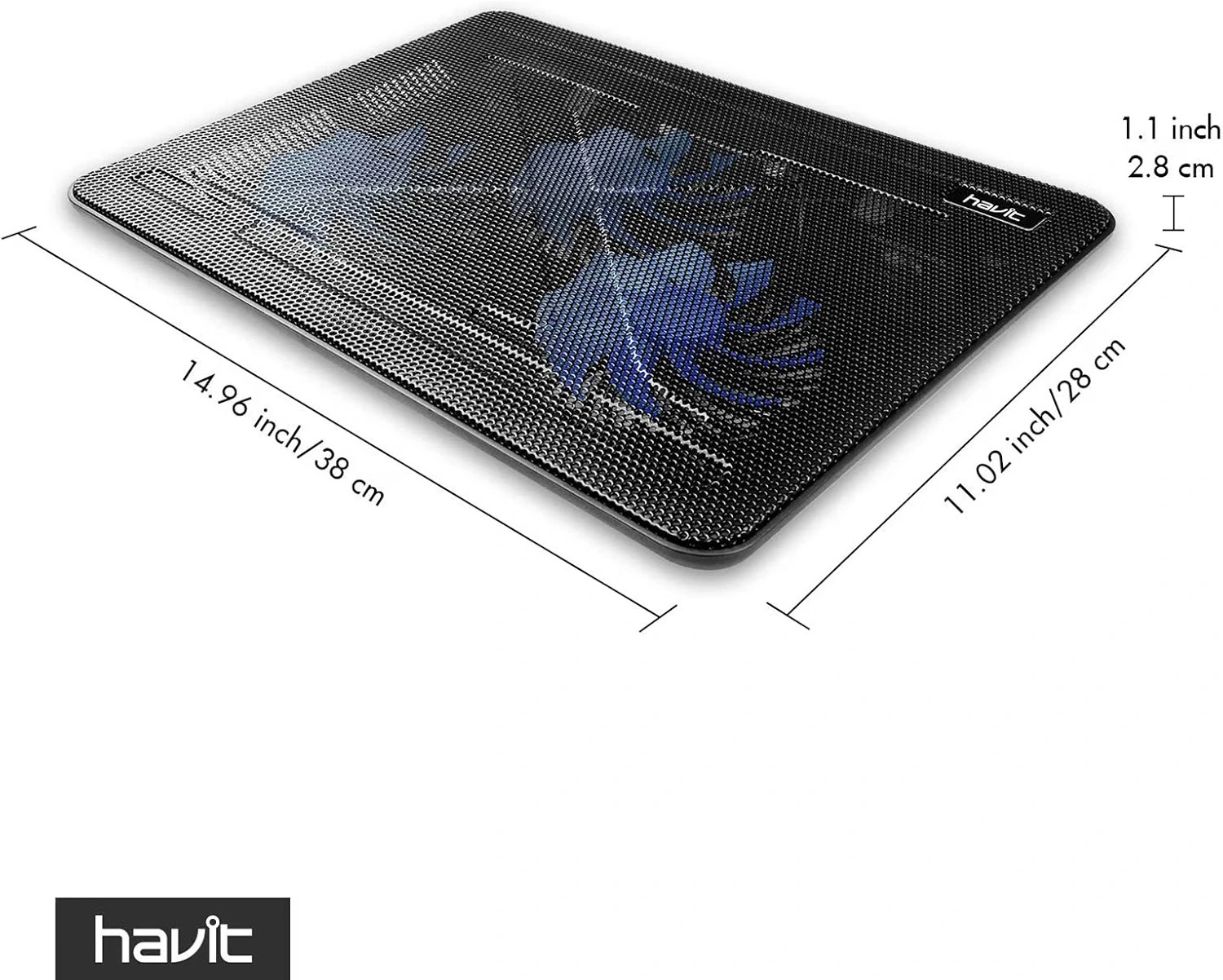
At roughly one inch thick, the cooling pad remains relatively slim compared with many larger gaming cooling stands.
Its metal-mesh construction also helps give it a more substantial feel than an ultra-thin plastic-only stand.
Havit HV-F2056 for Gaming
For gaming laptops, cooling can become particularly important because gaming workloads can keep both the CPU and GPU under sustained load.
The HV-F2056 can help by providing additional airflow underneath the laptop.
However, gamers should have realistic expectations.
A cooling pad cannot replace proper internal laptop maintenance, clean vents, thermal management, or an adequate built-in cooling system.
Its biggest advantage is giving the laptop a better airflow environment while also lifting the system off the desk.
For users with a larger 15.6- or 17-inch gaming laptop who want a simple external cooling solution, the HV-F2056 is a practical option.
Havit HV-F2056 for Work and Study
You don't need to be a gamer to benefit from a laptop cooling pad.
The HV-F2056 can also make sense for people who spend many hours on:
- Video calls
- Programming
- Web browsing
- Office work
- Photoshop and creative applications
- Video editing
- Multitasking
The adjustable angle is particularly useful here because it turns the cooling pad into an ergonomic laptop stand as well.
Pros and Cons
Pros
Three 110 mm fans: Broad fan coverage for larger laptops.
65 CFM airflow: Havit lists up to 65 CFM airflow for the three-fan system.
15.6–17 inch compatibility: Designed for larger laptops.
Metal-mesh surface: Helps maintain an open airflow path.
Two USB ports: Adds connectivity while using the cooling pad.
Adjustable height: Useful for improving laptop viewing and typing angles.
Slim design: Around 28 mm thick.
Blue LED fans: Adds a gaming-style appearance.
Cons
No temperature display: There is no built-in temperature monitoring system.
Fixed fan configuration: You don't get software-based fan control.
Blue LEDs aren't for everyone: Users looking for a minimalist setup may prefer no lighting.
Best suited to larger laptops: It is specifically designed around the 15.6–17-inch size range.
Cooling results vary: The actual temperature improvement depends heavily on the laptop and its ventilation design.
Havit HV-F2056 vs a More Advanced Gaming Cooling Pad
The HV-F2056 is intentionally simple.
It doesn't try to offer a control panel, LCD, software profiles, temperature monitoring, or extreme high-speed cooling.
Instead, it focuses on the fundamentals:
Three fans + open mesh + adjustable stand + USB connectivity.
That's actually one of its strengths.
For someone who simply wants an affordable and straightforward laptop cooling stand, extra features aren't necessarily important.
On the other hand, enthusiast gaming users who want precise fan control and maximum cooling performance may prefer a newer premium cooling solution.
Who Should Buy the Havit HV-F2056?
The Havit HV-F2056 makes the most sense for someone who has a 15.6–17-inch laptop and wants a simple way to improve airflow while raising the laptop into a more comfortable working position.
It's especially attractive for users who value:
Simple USB operation
Three large fans
A metal-mesh surface
Adjustable height
Extra USB ports
A slim design
It can work well for gaming, productivity, studying, and general everyday laptop use.
Who Should Skip It?
You may want a different cooling pad if you need advanced fan controls, temperature monitoring, software integration, or specialized cooling technology.
It may also not be the best choice for a very small laptop, since its design is optimized for 15.6- to 17-inch machines.
Final Verdict: Is Havit HV-F2056 Worth Buying?
The havit HV-F2056 Laptop Cooling Pad takes a straightforward approach to laptop cooling.
You get three 110 mm fans, 65 CFM airflow, a metal-mesh platform, adjustable height, two USB ports, and support for 15.6–17-inch laptops.
It isn't a premium feature-packed gaming cooler, but that's also the point.
For someone searching for a simple laptop cooling pad for gaming, work, or long everyday use, the HV-F2056 offers a practical combination of airflow, ergonomics, and connectivity.
Our Verdict: 4.2/5
Best for: 15.6–17-inch laptops, gaming, office work, studying, and users who want an adjustable cooling stand.
Bottom line: The Havit HV-F2056 is a solid choice for users who want straightforward external laptop cooling without paying for lots of unnecessary features.
Check the Havit HV-F2056 Price on Amazon
You can check the latest price, availability, customer reviews, and purchasing options on Amazon using the product link you provided.