
Razer Basilisk V3 Review: Is This Customizable Gaming Mouse Worth It?
A good gaming mouse should do more than simply move a cursor. For competitive gaming, productivity, and everyday PC use, customization, comfort, precision, and reliable controls can make a noticeable difference.
The Razer Basilisk V3 Customizable RGB Wired Ergonomic Gaming Mouse combines all of those priorities in a right-handed design. It features 11 programmable buttons, Razer's Focus+ 26K DPI optical sensor, Gen-2 Optical Mouse Switches, an adjustable HyperScroll Tilt Wheel, and 11 Chroma RGB lighting zones.
Razer positions the Basilisk V3 as a highly customizable ergonomic gaming mouse, while its specifications make it suitable for everything from fast-paced games to general desktop use.
👉 Check the Razer Basilisk V3 on Amazon
Razer Basilisk V3 at a Glance
| Feature | Razer Basilisk V3 |
|---|---|
| Product Type | Wired ergonomic gaming mouse |
| Sensor | Razer Focus+ Optical Sensor |
| Maximum DPI | 26,000 DPI |
| Maximum Speed | 650 IPS |
| Maximum Acceleration | 50 G |
| Programmable Buttons | 11 |
| Switches | Razer Optical Mouse Switches Gen-2 |
| Switch Rating | Up to 70 million clicks |
| Scroll Wheel | 4-way HyperScroll Tilt Wheel |
| RGB | 11 Razer Chroma RGB zones |
| Onboard Profiles | 5 |
| Mouse Feet | 100% PTFE |
| Connectivity | USB wired |
| Weight | 101 g / 3.56 oz |
| Dimensions | 5.11 × 2.95 × 1.65 in |
| Hand Orientation | Right-handed |
What Makes the Razer Basilisk V3 Stand Out?
The Basilisk V3 is aimed at users who want more control over their mouse rather than a basic two-button gaming peripheral.
Its combination of programmable controls, high-resolution tracking, ergonomic shaping, RGB customization, and a multi-mode scroll wheel gives it a feature set that extends well beyond standard gaming mice.
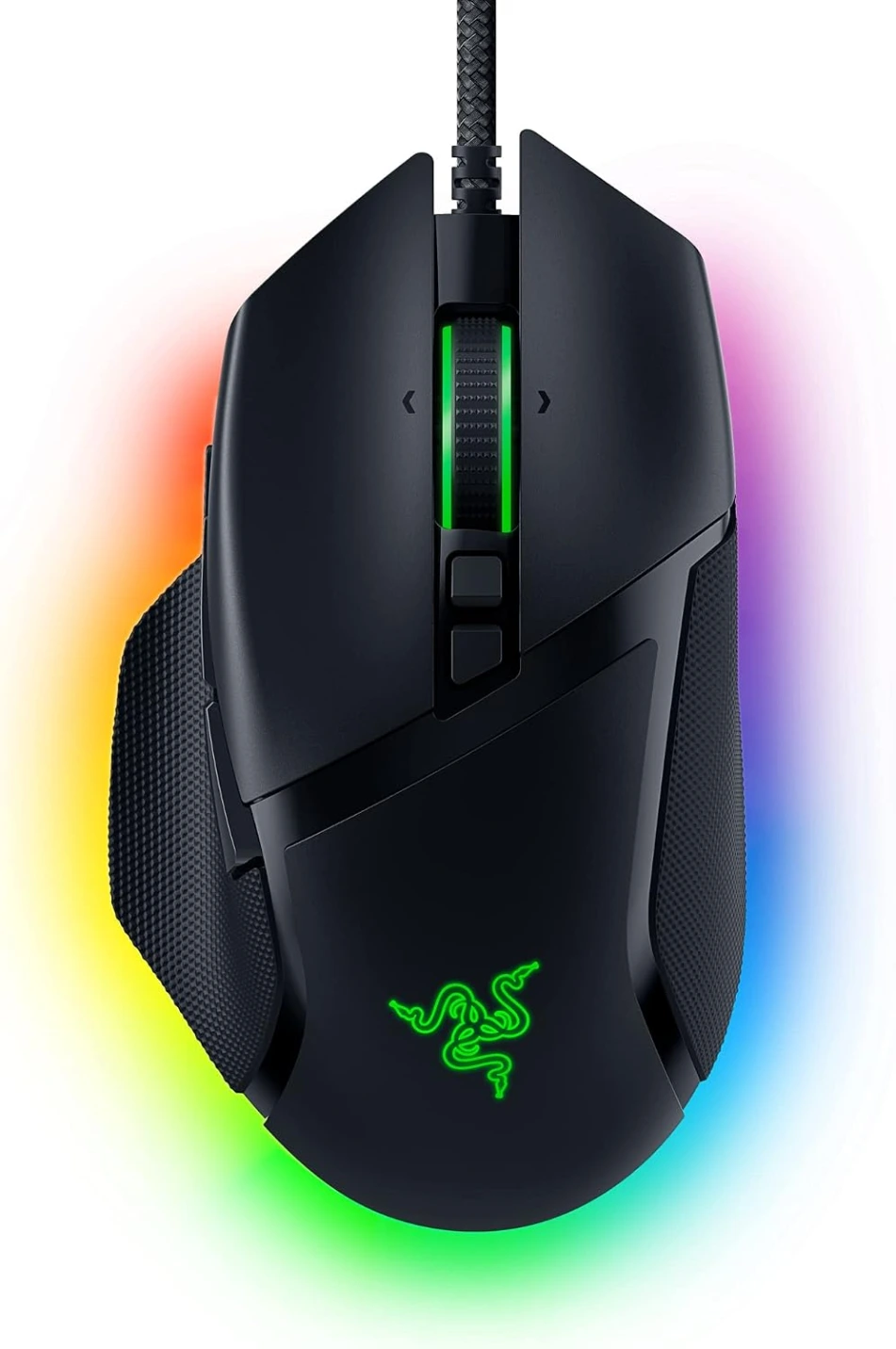
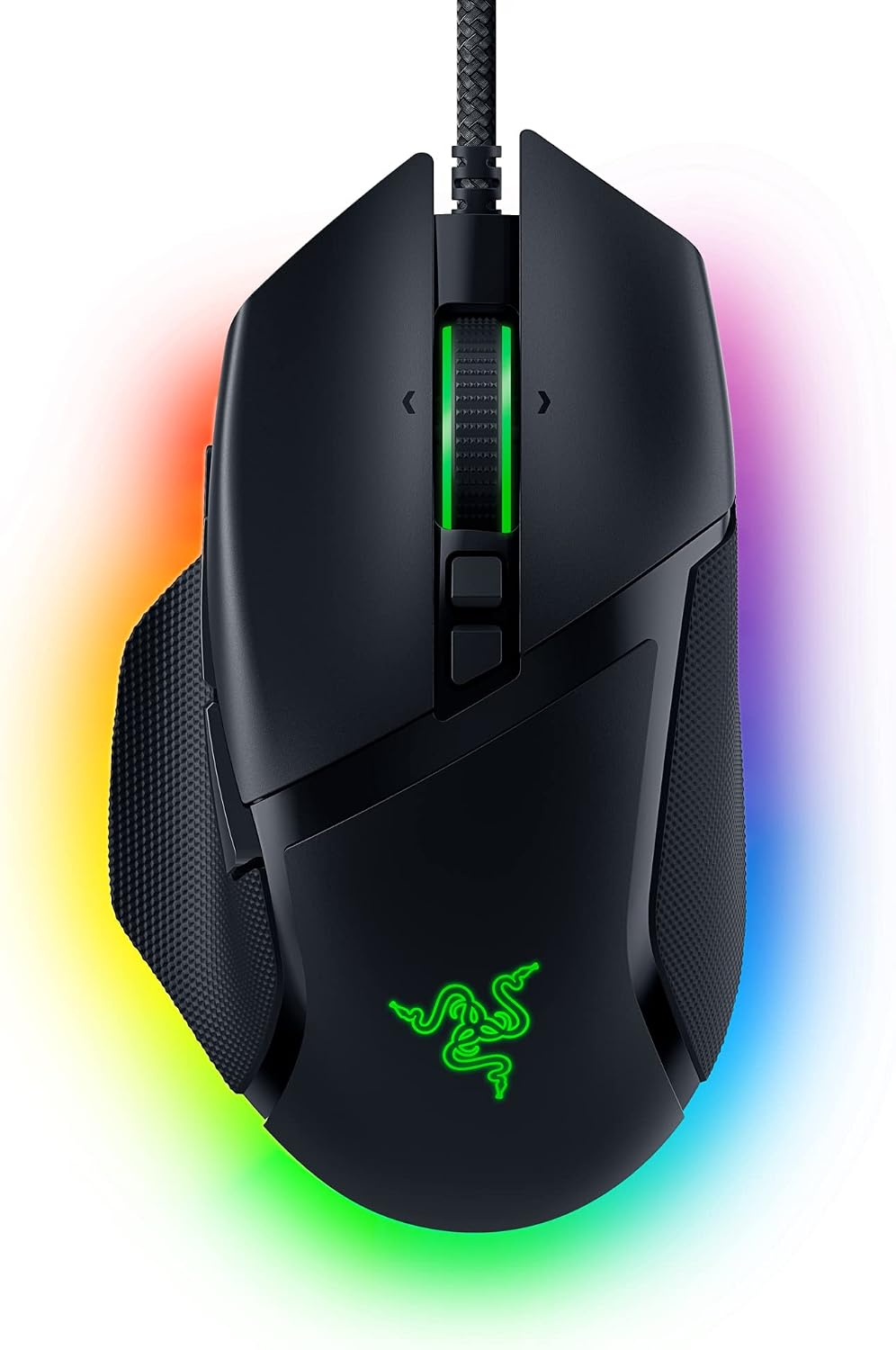
Razer Basilisk V3 in black with Chroma RGB lighting.
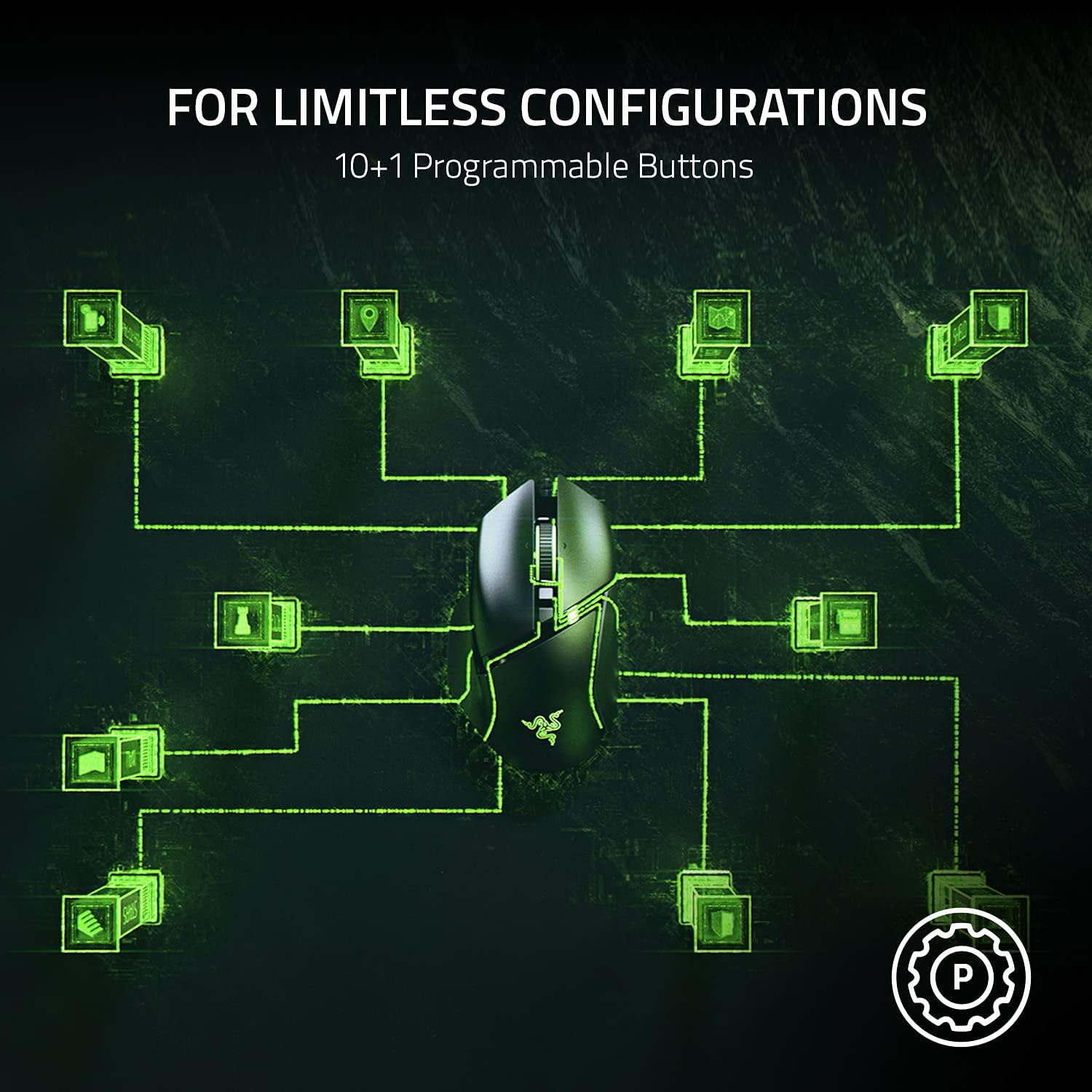
1. 11 Programmable Buttons for Customized Control
One of the biggest advantages of the Basilisk V3 is its 11 programmable buttons.
You can assign macros, secondary functions, and frequently used commands to different buttons. This can be especially useful in games where access to abilities, inventory controls, weapon switching, push-to-talk, or other actions needs to be quick.
For productivity, the same customization can be useful for shortcuts, copy/paste actions, media controls, application commands, or other repetitive tasks.
Why programmable buttons matter
Instead of repeatedly reaching for the keyboard, you can move commonly used functions closer to your thumb and fingers. That can make a mouse like the Basilisk V3 particularly appealing to MMO, strategy, FPS, and productivity-focused users.
2. Razer Focus+ 26K DPI Optical Sensor
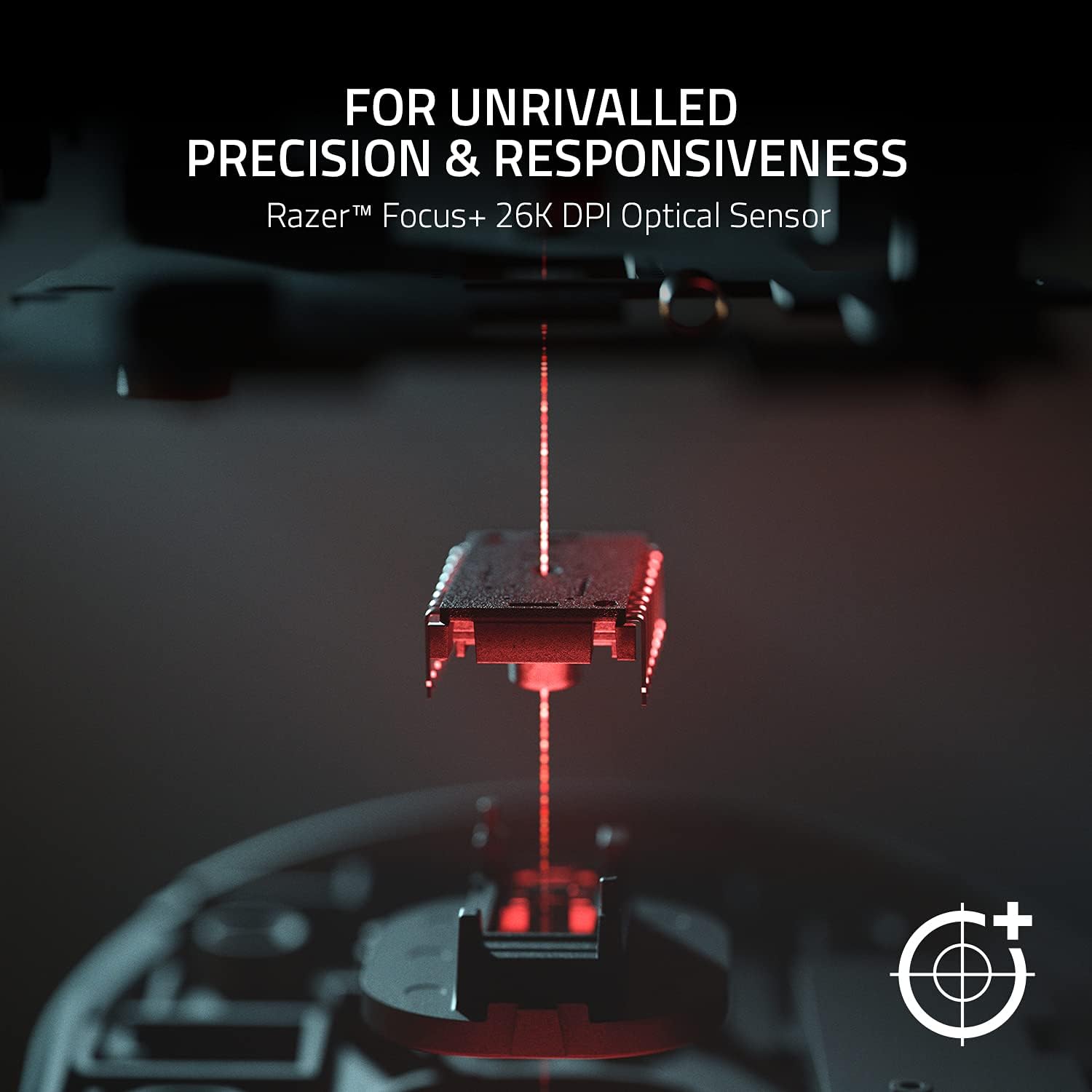
The Basilisk V3 is equipped with Razer's Focus+ optical sensor, offering sensitivity up to 26,000 DPI, along with a tracking speed of up to 650 IPS and acceleration up to 50 G.
While most gamers won't need anywhere near 26,000 DPI for normal gameplay, having such a high ceiling provides plenty of flexibility.
The sensor also supports intelligent tracking features, including customizable lift-off and landing distance functionality.
PCWorld's testing of the Basilisk V3 found its tracking to be highly accurate, with the reviewer noting virtually faultless tracking in testing.
Who benefits from a high-DPI sensor?
High DPI alone does not automatically make a mouse better. Most users will choose a much lower setting for everyday gaming. What matters is accurate and consistent tracking, and the Basilisk V3 gives users considerable room to customize sensitivity.
3. HyperScroll Tilt Wheel With Two Scrolling Modes
Another standout feature is Razer's HyperScroll Tilt Wheel.
It provides a 4-way tilt mechanism and electronically switched scrolling modes. You can use the wheel in a more traditional tactile mode when you need controlled scrolling, or switch to free-spinning scrolling for quickly moving through long documents, pages, or other content.
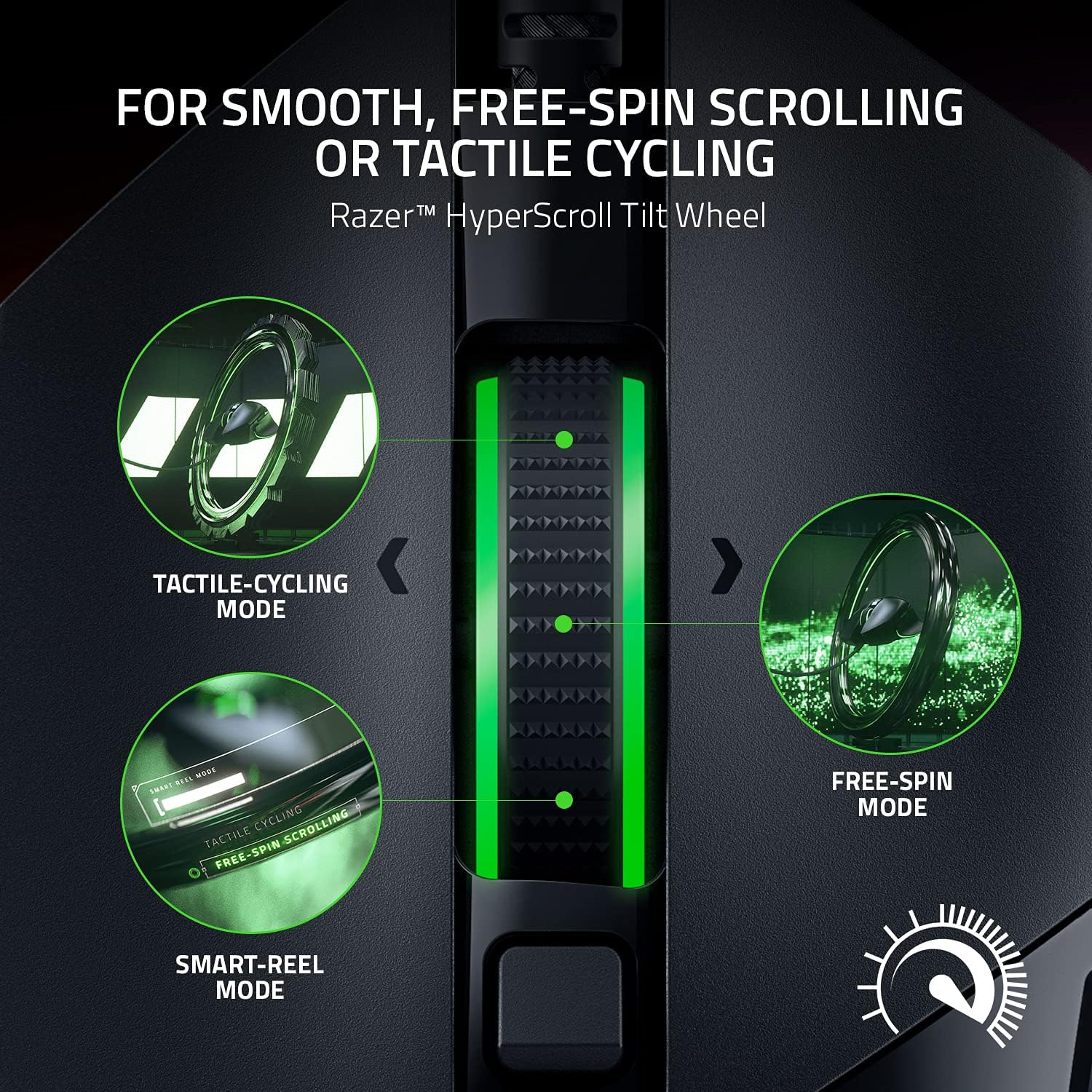
Tactile vs. Free-Spin
Tactile mode: Better suited to controlled scrolling and gaming actions where precise wheel movement matters.
Free-spin mode: Useful when you need to quickly scroll through long webpages, documents, lists, or other content.
The result is a scroll wheel that can serve both gaming and everyday PC workloads.
4. 11-Zone Razer Chroma RGB Lighting
RGB is a major part of the Basilisk V3's design.
The mouse has 11 Razer Chroma RGB lighting zones, which can be customized across a wide range of colors and effects. Razer also states that its Chroma system can react dynamically with more than 150 integrated games.
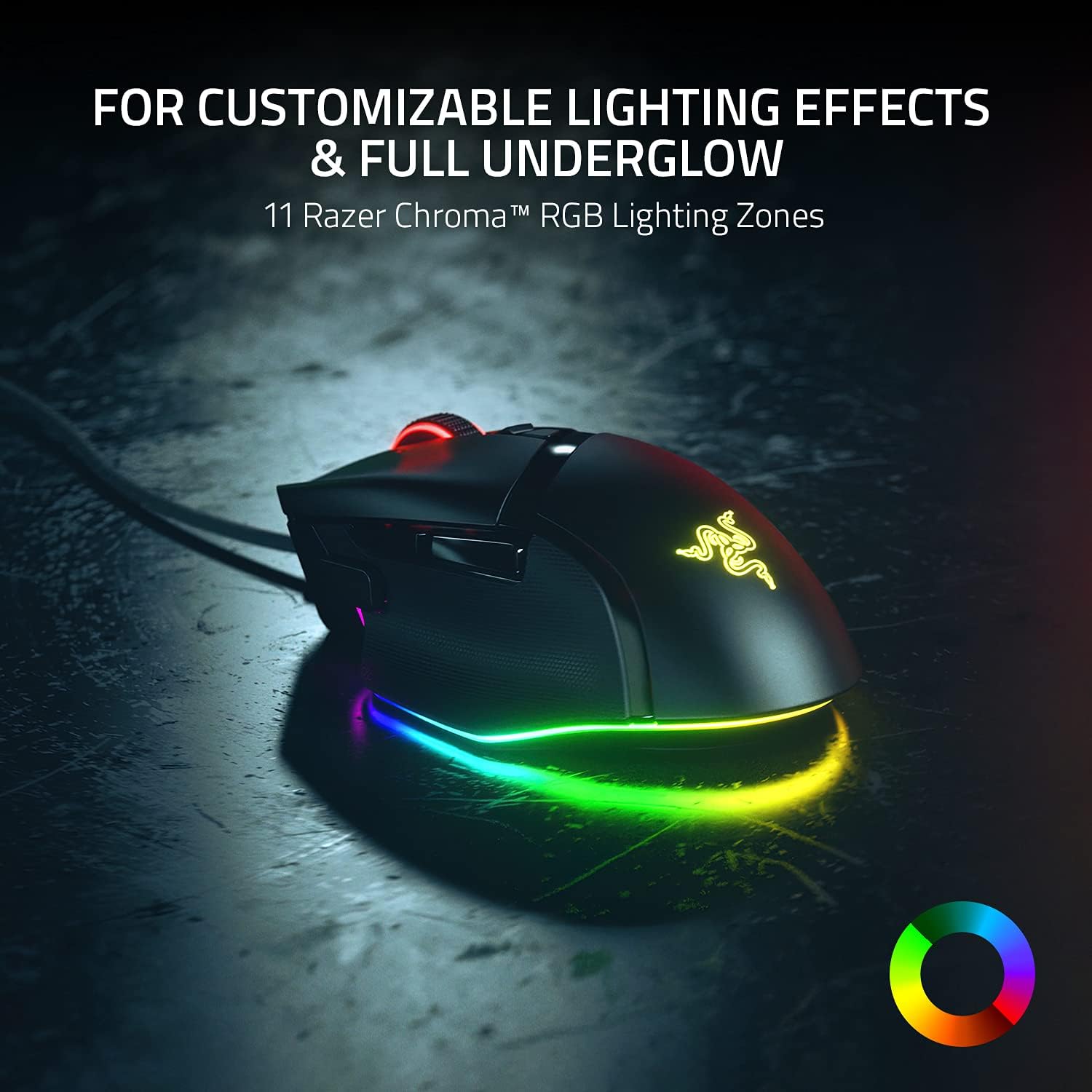
The underglow lighting is particularly noticeable because it creates a bright RGB effect around the base of the mouse.
This makes the Basilisk V3 a strong choice for gamers who want their peripherals to match the lighting setup of their gaming desk.
5. Ergonomic Design With Thumb Rest
The Basilisk V3 is designed specifically for right-handed users, with an ergonomic shape and thumb rest intended to support the hand during extended use. Razer describes the design as optimized for hand support and convenient access to the controls.

The thumb rest can also help distinguish the Basilisk V3 from flatter gaming mice that prioritize a more symmetrical shape.
At 101 grams, it is not an ultra-lightweight mouse, so gamers who specifically prefer sub-70g competitive mice may prefer a different style of design. Razer lists the Basilisk V3 at 101 g excluding the cable.
6. Gen-2 Optical Mouse Switches
The Basilisk V3 uses Razer Optical Mouse Switches Gen-2, which Razer rates for up to 70 million clicks. Razer also specifies an actuation speed of 0.2 ms for these switches.
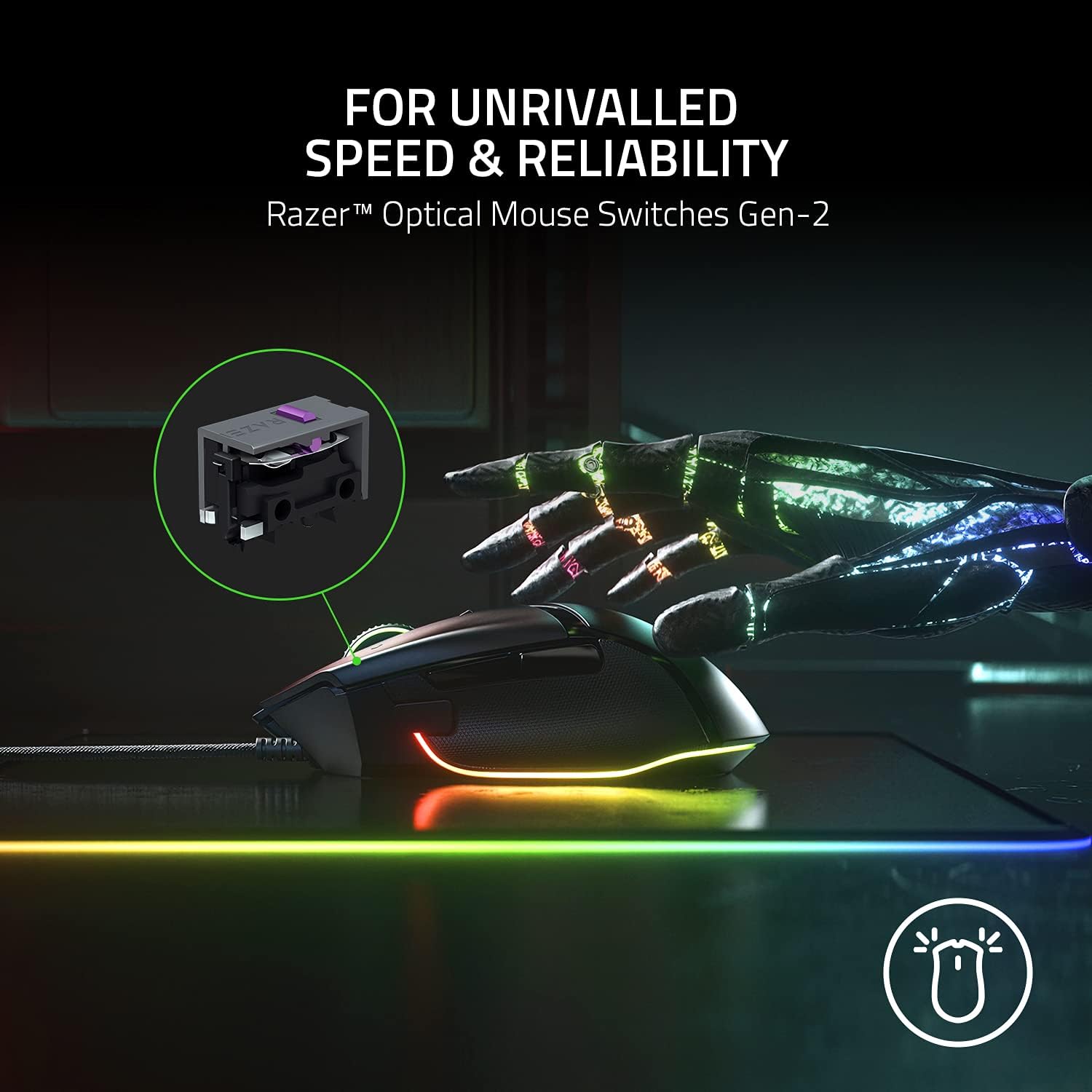
For gamers, responsive switches can be particularly valuable in games where repeated clicks and fast inputs matter.
The optical switch design is also intended to reduce issues associated with unintended double-clicking, according to Razer.
7. SpeedFlex Cable and PTFE Mouse Feet
Although the Basilisk V3 is wired, Razer uses a SpeedFlex cable designed to be flexible and reduce resistance during movement. The mouse also comes with 100% PTFE mouse feet.
A wired connection has one obvious benefit: you don't need to worry about charging or battery life. Razer lists the mouse as wired with no battery requirement.
For desktop gaming setups where the mouse remains connected to the same PC, this can be a very practical advantage.
Razer Basilisk V3 Pros and Cons
Pros
- 11 programmable buttons
- Precise 26K DPI Focus+ optical sensor
- HyperScroll Tilt Wheel with tactile and free-spin modes
- 11-zone Chroma RGB lighting
- Ergonomic right-handed design with thumb rest
- Gen-2 optical switches rated for up to 70 million clicks
- 5 onboard memory profiles
- 100% PTFE mouse feet
- No battery or charging required
Cons
- Wired design won't appeal to users who prefer wireless mice
- 101g weight may feel heavy to fans of ultralight gaming mice
- Ergonomic shape is designed for right-handed users
- Many advanced features may be unnecessary for casual users
Who Should Buy the Razer Basilisk V3?
The Basilisk V3 makes the most sense for someone who wants lots of customization.
It is particularly appealing to gamers who want extra buttons for in-game commands, players who value adjustable scrolling, and users who spend long periods at a PC and want an ergonomic right-handed shape.
It can also be a good fit for anyone who wants a single mouse that works for both gaming and productivity.
Best for:
FPS gamers:
The accurate Focus+ sensor and customizable controls provide plenty of precision and control.
MMO and strategy gamers:
The 11 programmable buttons can be useful for assigning additional abilities and shortcuts.
PC productivity users:
The extra controls and HyperScroll wheel can be useful outside of gaming.
RGB enthusiasts:
The 11-zone Chroma system makes the mouse easy to integrate into a colorful gaming setup.
Who Should Consider Another Mouse?
The Basilisk V3 isn't necessarily the ideal choice for every gamer.
Competitive players focused specifically on minimizing weight may prefer an ultralight mouse. Similarly, left-handed users will likely want to look for a mouse designed around their preferred grip.
And if wireless freedom is a top priority, a wireless gaming mouse will be a better fit than the Basilisk V3's wired connection.
Razer Basilisk V3 vs. a Basic Gaming Mouse
Compared with an entry-level gaming mouse, the Basilisk V3 provides significantly more control options.
A basic gaming mouse might give you the standard left/right buttons, a scroll wheel, and a couple of side buttons. The Basilisk V3 expands that considerably with 11 programmable buttons, customizable RGB, multiple scroll modes, onboard profiles, a 26K DPI sensor, and advanced optical switches.
The important question is therefore not simply whether the Basilisk V3 has good specifications. It's whether you will actually use those additional features.
For users who value customization, the extra functionality can be worthwhile.
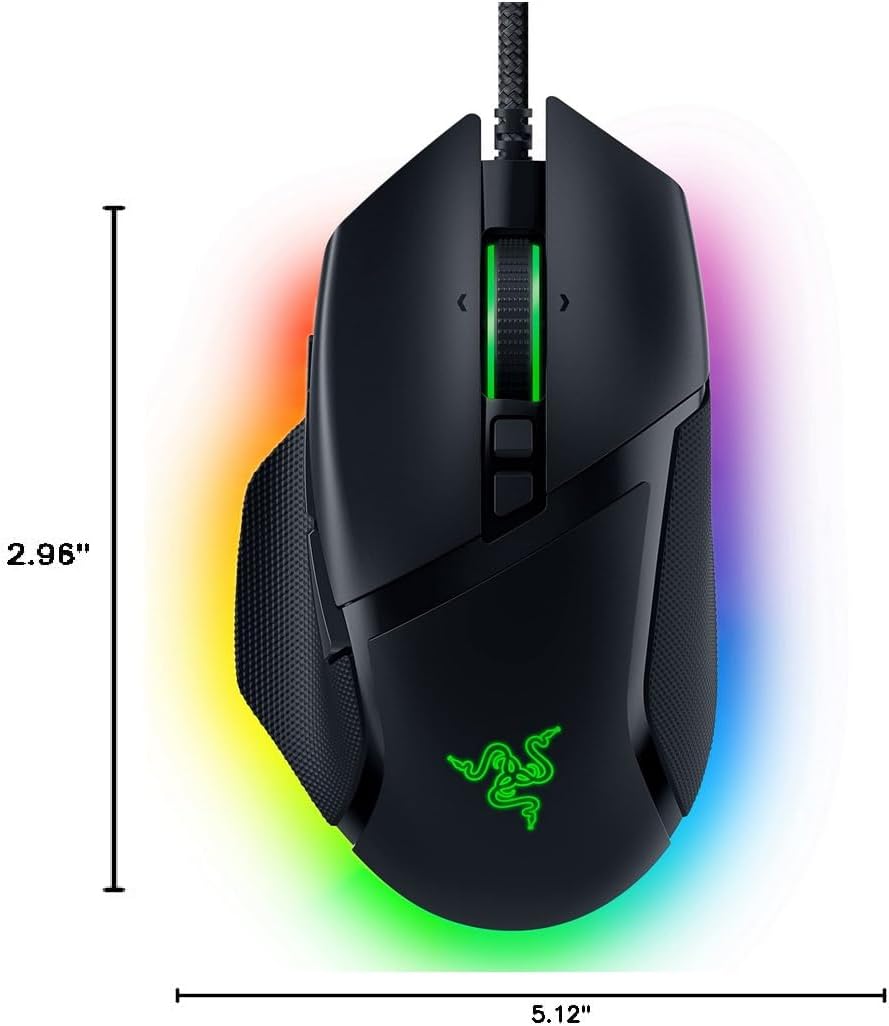
Razer Basilisk V3 Dimensions
Razer lists the Basilisk V3 at approximately:
- Length: 5.11 inches
- Width: 2.95 inches
- Height: 1.65 inches
- Weight: 101 g excluding cable
Important: The supplied dimension graphic visually labels height/length differently from Razer's specification table, so use Razer's official dimensional specifications for your final website specification table.
Is the Razer Basilisk V3 Worth Buying?
The Razer Basilisk V3 is one of those gaming mice that focuses heavily on customization rather than simplicity.
Its biggest strengths are the combination of 11 programmable buttons, a highly capable 26K DPI sensor, HyperScroll Tilt Wheel, Chroma RGB, ergonomic design, and Gen-2 optical switches.
It isn't the lightest mouse available, and its wired right-handed design won't suit everyone. But for gamers and PC users who want a highly configurable mouse with plenty of physical controls, it's a compelling option.
Our verdict: ★★★★½☆
Best for: Gamers and power users who prioritize customization, comfort, RGB lighting, and precision.
Frequently Asked Questions
Is the Razer Basilisk V3 wireless?
No. The Basilisk V3 is a wired USB gaming mouse and uses Razer's SpeedFlex cable.
How many programmable buttons does the Basilisk V3 have?
The Basilisk V3 has 11 programmable buttons.
What is the maximum DPI of the Basilisk V3?
It offers up to 26,000 DPI through the Razer Focus+ optical sensor.
Does the Basilisk V3 have RGB lighting?
Yes. It features 11 Razer Chroma RGB lighting zones with customizable effects and colors.
How long do the Basilisk V3 optical switches last?
Razer rates the Gen-2 Optical Mouse Switches for up to 70 million clicks.
Is the Basilisk V3 good for productivity?
Yes. Its programmable buttons and HyperScroll wheel can be useful for shortcuts, navigation, scrolling, and repetitive desktop tasks in addition to gaming.
Where to Buy the Razer Basilisk V3
You can check the latest availability and seller pricing on Amazon here:
👉 Buy the Razer Basilisk V3 on Amazon
Amazon's listing can change in price, seller, shipping availability, and promotions, so check the current listing before purchasing. The Amazon page currently identifies the product as the Razer Basilisk V3 Customizable RGB Wired Ergonomic Gaming Mouse, Black.
Final Verdict
The Razer Basilisk V3 is designed for people who want more from their gaming mouse than basic controls.
With its 11 programmable buttons, 26K DPI Focus+ sensor, HyperScroll Tilt Wheel, 11-zone Chroma RGB lighting, ergonomic thumb rest, and durable Gen-2 optical switches, it offers a broad feature set for gaming and everyday PC use.
For gamers who love customization and want a feature-rich wired mouse, the Basilisk V3 remains a strong option worth considering.