
UtechSmart 6-in-1 USB-C Hub Review: Is This a Good USB-C Hub for MacBook & Windows?
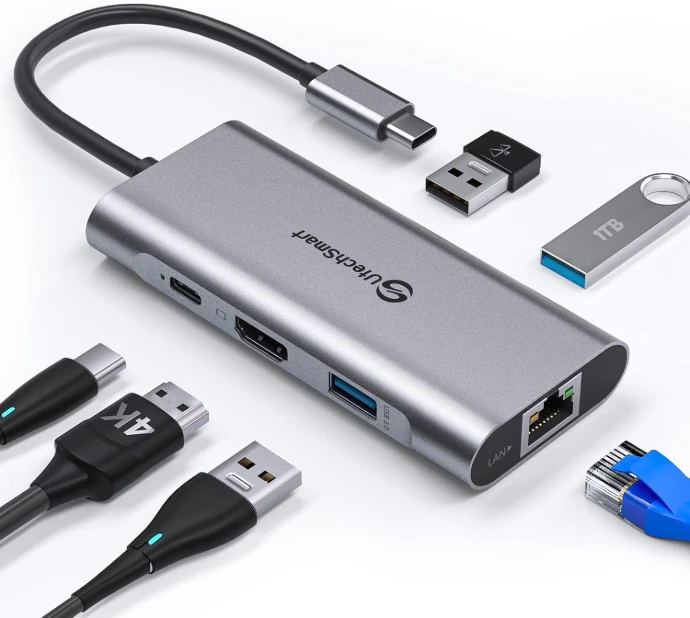
Finding a reliable USB-C hub with HDMI, Ethernet, USB 3.0 ports, and Power Delivery can make a laptop setup much more flexible. The UtechSmart USB C Hub 6-in-1 (UCN3273) combines these connections into one compact aluminum adapter, making it useful for home offices, travel, presentations, external displays, and wired networking.
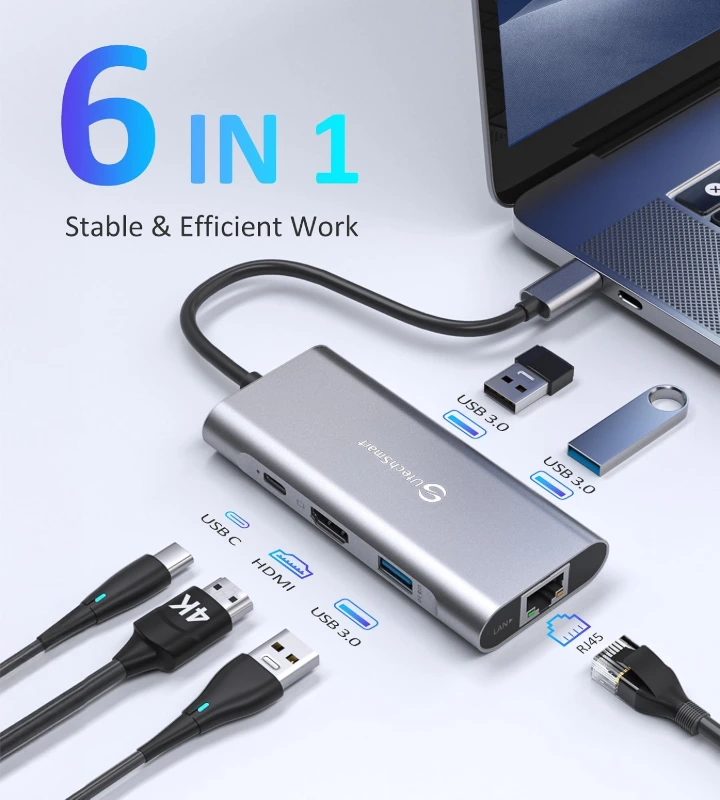
The UCN3273 includes 3 USB 3.0 Type-A ports, a 4K HDMI port, a Gigabit Ethernet port, and a USB-C Power Delivery port. UtechSmart states that the USB ports support transfer speeds up to 5Gbps, Ethernet supports up to 1000Mbps, HDMI supports up to 4K at 30Hz, and the PD input supports up to 100W.
UtechSmart 6-in-1 USB-C Hub Specifications
| Feature | UtechSmart UCN3273 |
|---|---|
| Ports | 6-in-1 |
| USB Ports | 3 × USB 3.0 |
| HDMI | Up to 4K @ 30Hz |
| Ethernet | Gigabit 1000Mbps |
| Power Delivery | Up to 100W |
| USB Data Speed | Up to 5Gbps |
| Connection | USB-C |
| Material | Aluminum |
| Weight | About 3.04 oz / 86g |
| Model | UCN3273 |
| ASIN | B07H2ZS1B5 |
The manufacturer's specifications list dimensions of approximately 4.06 × 6.46 × 0.87 inches and a weight of 3.04 ounces; another product-data source lists the height as approximately 0.7 inches, so published dimensional figures vary slightly by source.
1. Six Useful Connections in One Hub
The biggest advantage of this UtechSmart hub is that it expands a single USB-C connection into several useful ports.
You get:
3 × USB 3.0 for peripherals and storage devices,
1 × HDMI for an external monitor or TV,
1 × Gigabit Ethernet for wired networking, and
1 × USB-C PD for charging a compatible host device.
That makes it especially useful for laptops with limited physical ports.
2. 4K HDMI Output for External Displays
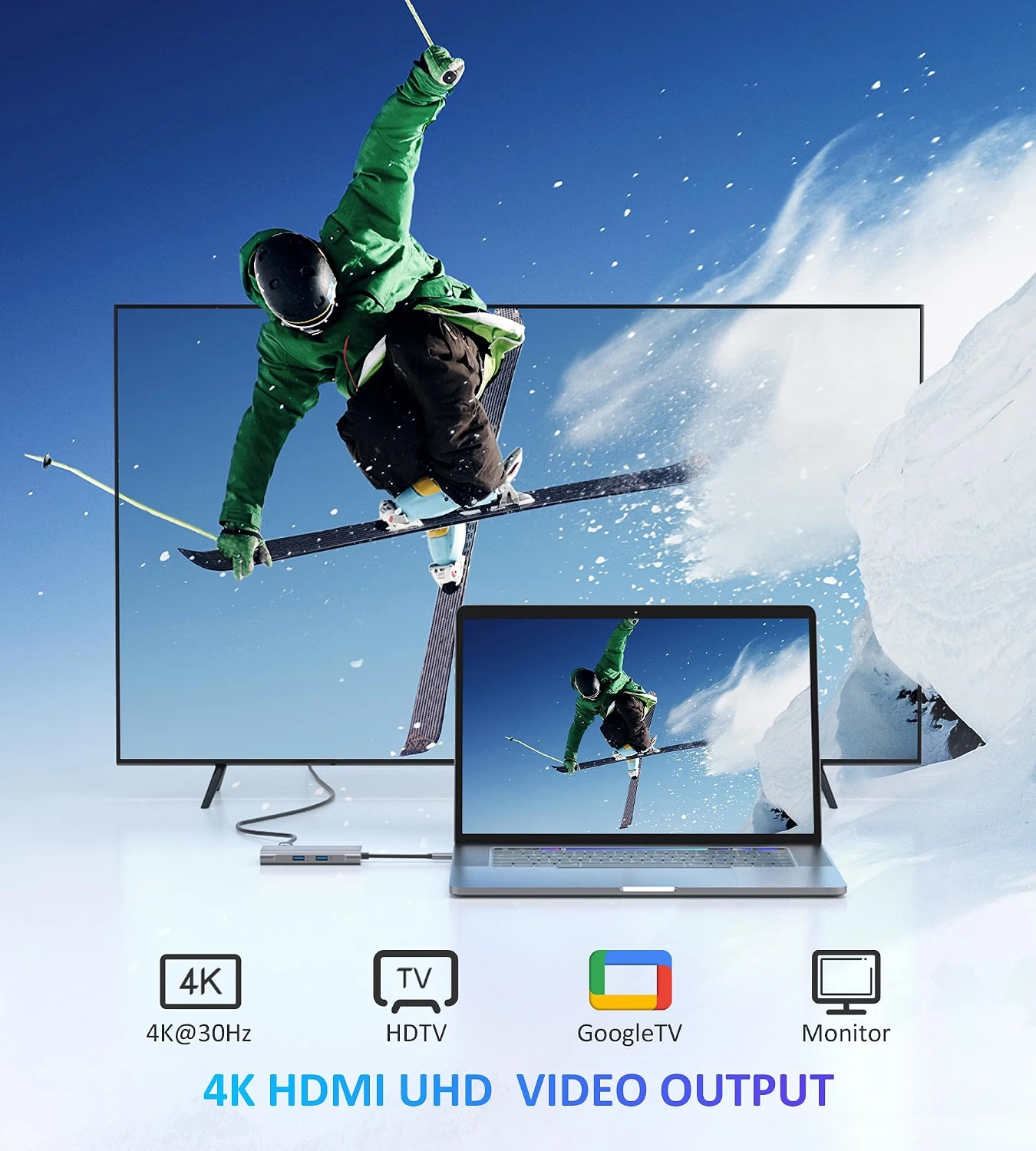
The integrated HDMI port supports up to 4K output at 30Hz, according to UtechSmart. It can be used with compatible monitors, TVs, and other HDMI displays.
For office work, presentations, browsing, and general productivity, having an additional display can make multitasking considerably easier.
However, users looking specifically for 4K at 60Hz should look at a different hub because this model is specified for 4K@30Hz.
3. Gigabit Ethernet for Faster Wired Networking
One of the standout features is the 1000Mbps Gigabit Ethernet port.
Wi-Fi is convenient, but a wired Ethernet connection can be useful when you need a more direct network connection for work, downloads, streaming, or other bandwidth-intensive tasks.
The UtechSmart hub supports 1000Mbps Ethernet and is backward compatible with 100Mbps and 10Mbps networks.
This is particularly useful for modern laptops that no longer include a built-in RJ45 Ethernet port.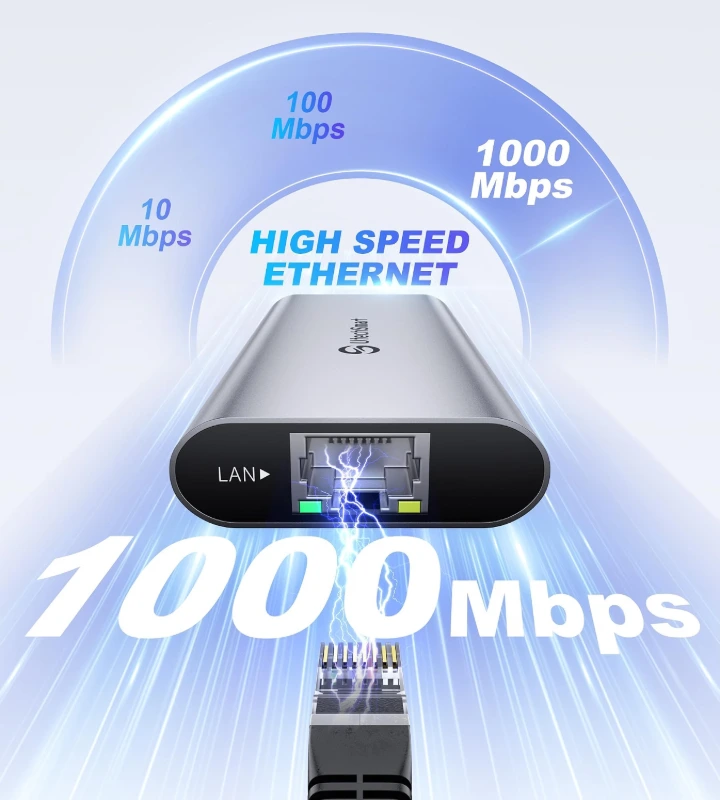
4. Up to 100W USB-C Power Delivery
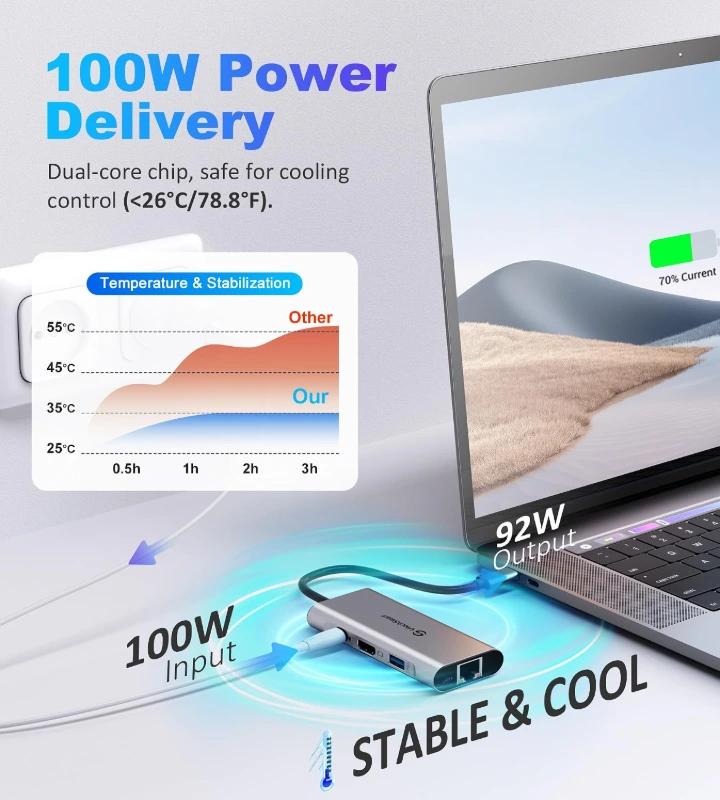
The UtechSmart UCN3273 also includes a USB-C Power Delivery port rated for up to 100W input. UtechSmart notes that the hub itself consumes approximately 8–12W while operating, meaning the power available to the connected laptop can be lower than the 100W input rating.
For example, UtechSmart's comparison information specifies approximately 92W output when using a 100W PD adapter for this model.
So the key point is that 100W refers to the hub's PD input capability, not necessarily 100W delivered directly to the laptop.
5. Three USB 3.0 Ports
Three USB 3.0 Type-A ports give you room to connect common accessories such as:
- USB flash drives
- keyboards
- mice
- external storage
- other USB peripherals
The manufacturer specifies data-transfer speeds of up to 5Gbps for the USB 3.0 connection.
This is one of the reasons a 6-in-1 USB-C hub can be more convenient than carrying several individual adapters.
6. Aluminum Design and Portable Size
The UtechSmart hub uses an aircraft-grade aluminum enclosure with a slim design, according to the manufacturer. UtechSmart also highlights its heat-dissipation design, particularly when multiple ports are being used simultaneously.
For someone who frequently works from different locations, the compact hub can replace several separate dongles.
Compatibility
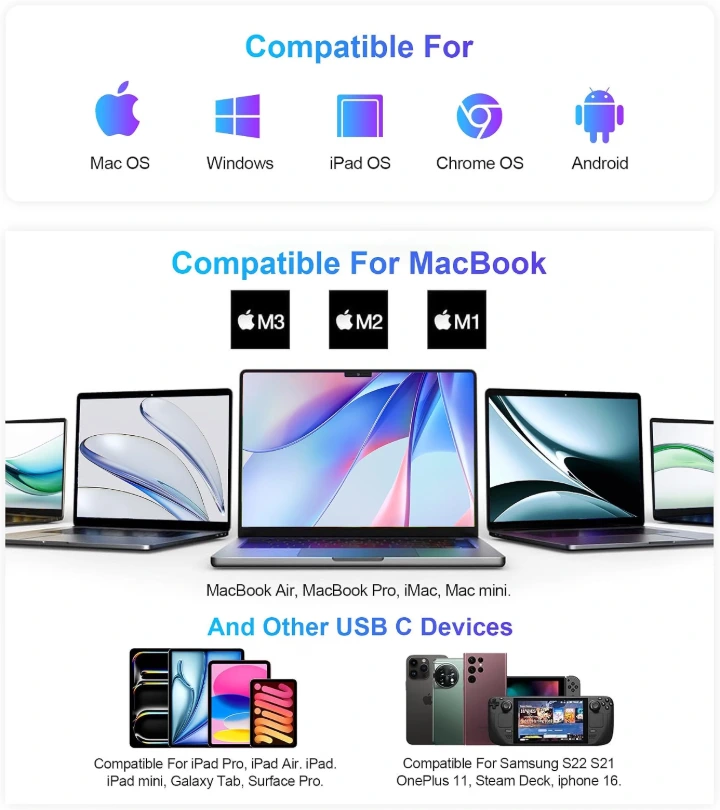
UtechSmart lists compatibility with USB-C devices supporting the necessary USB-C/Thunderbolt connection features. The manufacturer specifically notes compatibility with devices such as MacBook Pro, MacBook Air, Windows laptops, Chromebooks, and other USB-C devices. It also notes that the host USB-C port needs to support DisplayPort Alternate Mode for HDMI video output.
The supplied product graphic also presents compatibility across macOS, Windows, iPadOS, ChromeOS, and Android, although actual functionality can vary by device and USB-C implementation.
Important: A USB-C-shaped port does not automatically guarantee HDMI/video output. Your device's USB-C port needs to support the appropriate video-output mode.
UtechSmart 6-in-1 USB-C Hub Pros & Cons
Pros
✅ 6 useful connections in one compact adapter
✅ Gigabit Ethernet up to 1000Mbps
✅ HDMI output up to 4K@30Hz
✅ Three USB 3.0 ports
✅ Up to 100W USB-C Power Delivery input
✅ Aluminum construction
✅ Supports a wide range of USB-C devices
✅ Useful for office and travel setups
Cons
❌ HDMI is limited to 4K@30Hz
❌ USB-C host device must support the required video-output mode for HDMI
❌ Actual laptop charging power can be below the 100W PD input rating
❌ It doesn't include dedicated SD/microSD card slots
Who Should Buy the UtechSmart 6-in-1 USB-C Hub?
This hub makes the most sense for people who need Ethernet, HDMI, USB-A connectivity, and charging from one USB-C connection.
It's particularly suitable for:
MacBook users: Add USB-A accessories, HDMI display output and wired Ethernet.
Remote workers: Connect a monitor, keyboard, mouse and Ethernet connection to a laptop.
Students: Useful for connecting classroom displays, USB accessories and other devices.
Travelers: One compact adapter can replace several individual dongles.
Home-office users: A convenient solution for expanding laptop connectivity.
Who Should Skip It?
This probably isn't the ideal choice for users who specifically need 4K@60Hz, SD/microSD card readers, multiple HDMI outputs, DisplayPort, or a large number of high-speed ports.
In those cases, a more advanced USB-C docking station may be a better fit.
Final Verdict
The UtechSmart USB C Hub 6-in-1 UCN3273 is a practical option for anyone who needs to turn one USB-C connection into a useful collection of ports.
Its combination of Gigabit Ethernet, 4K HDMI, three USB 3.0 ports, and 100W-class Power Delivery gives it a strong balance between functionality and portability.
The main limitation is the 4K@30Hz HDMI output, so users looking for high-refresh 4K displays should consider a different model.
For everyday productivity, remote work, presentations, wired networking, and expanding a MacBook or Windows laptop's connectivity, the UtechSmart 6-in-1 USB-C hub is a versatile choice.
🛒 Check the Latest Price on Amazon
Check the UtechSmart 6-in-1 USB-C Hub on Amazon